Case study · Client name withheld
Cashback and Price Comparison App
A shopping companion for cashback, price comparison and deal codes
The client offers shoppers a way to save on everyday purchases. Our team developed the mobile app that brings it together: cashback on purchases, price comparison across online shops and deal codes, with the user's cashback balance always in view.
- Client
- Retail and e-commerce
- Platforms
- iOS
- Our scope
- Shopping and lists · Price comparison · Notifications and cashback
The product
What it does, and for whom
Shoppers rarely know which shop has the best price, or which offers and codes apply. The app lets them browse by store and category, keep the products they care about in lists, compare an item's price and stock across shops in one view, and receive notifications about the items and offers they follow.
Scope The shops, offers and cashback programme are the client's and its partners'. Our work was the mobile app. To keep the client confidential, the screens on this page are recreated from the delivered app with neutral naming and example data.
Our contribution
What our team built
Shopping and lists
The home screen with followed stores and categories, and product lists and favourites.
Price comparison
Item pages comparing price, condition and stock across online shops, with follow and favourite actions.
Notifications and cashback
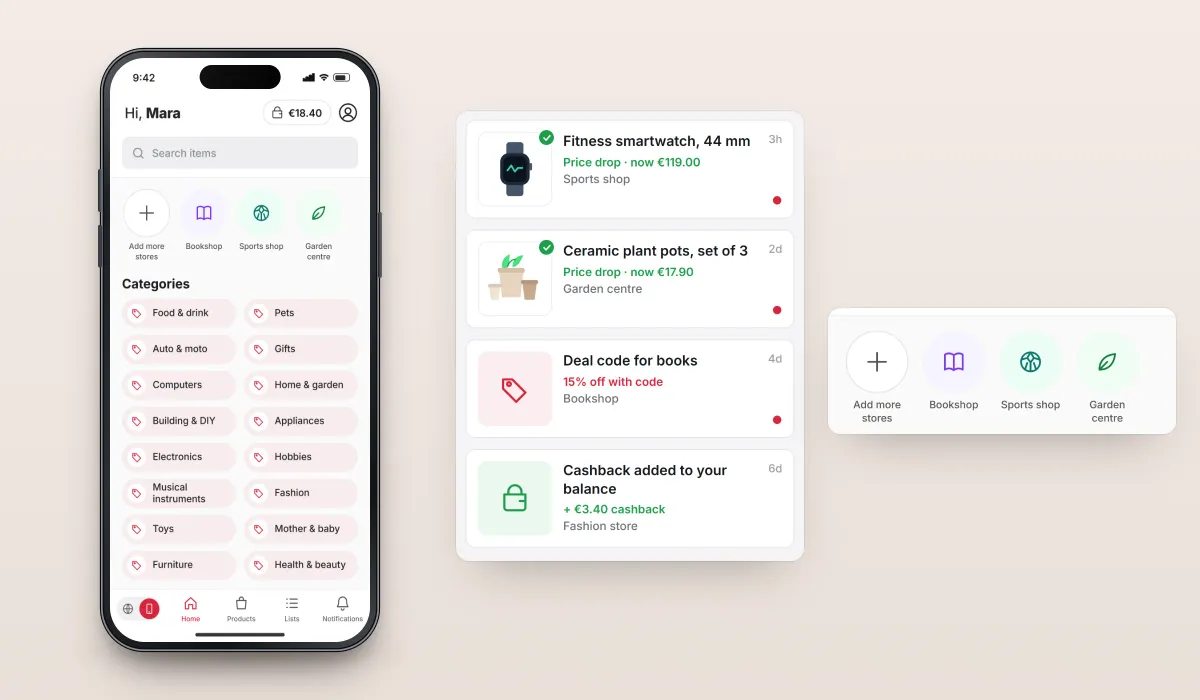
Notifications about followed items and offers, and the cashback balance shown throughout.
User flow
From browsing to the best price
The path from a shopper's home screen to comparing one product across shops.
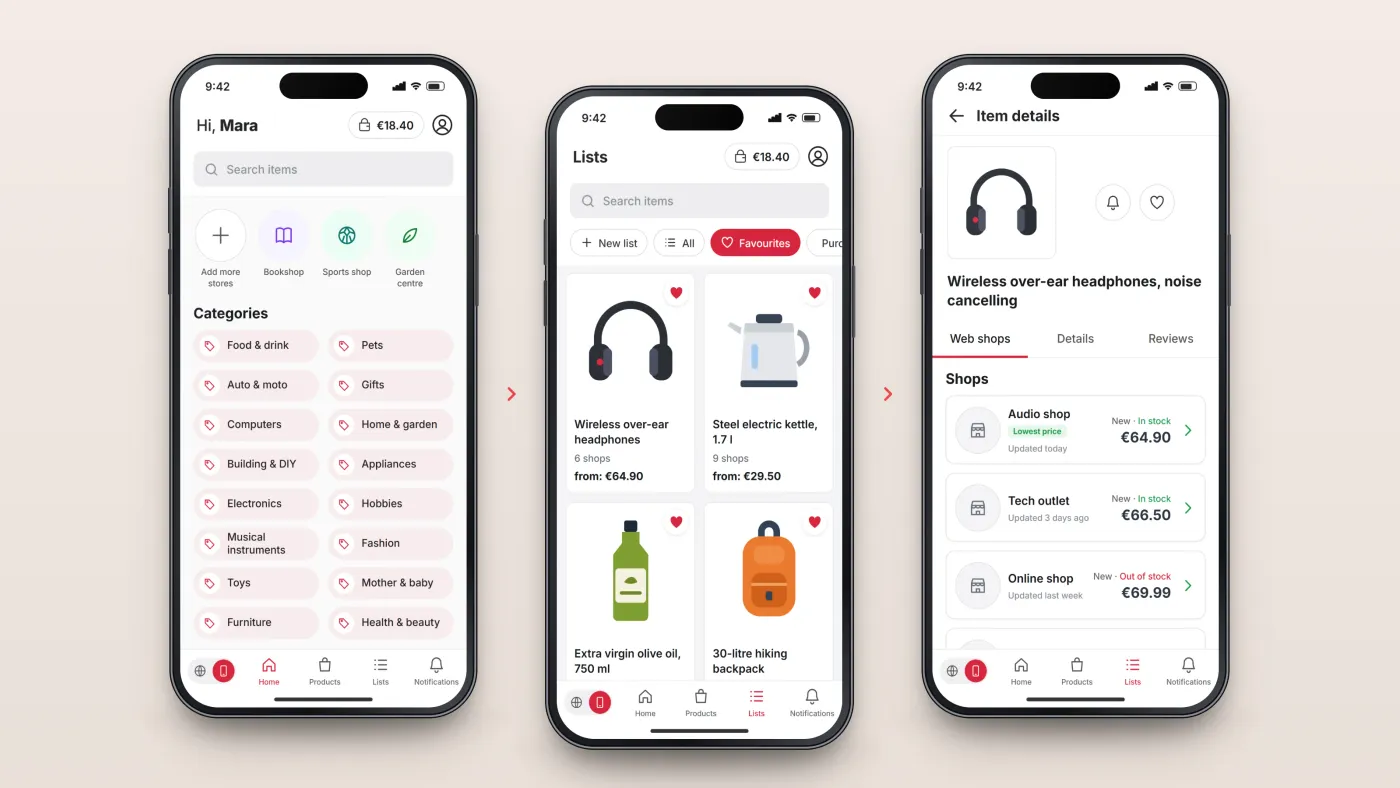
Start at home
The cashback balance, followed stores and shopping categories.
Keep lists
All items, favourites or purchased.
Compare one item
Every shop selling it, with price, condition, stock and when the price was last updated.
The product in use
Inside the app
Stores, categories and lists
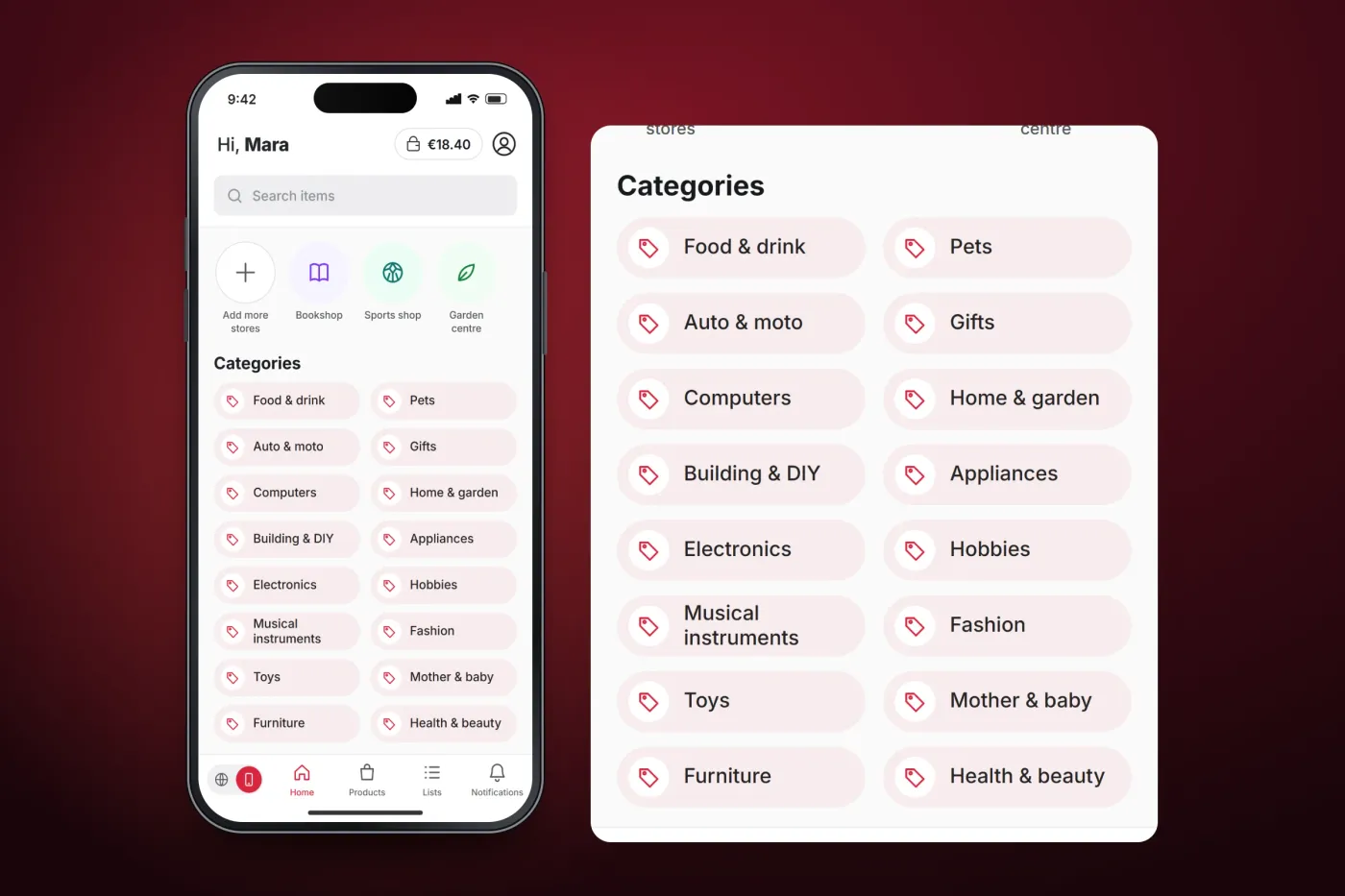
The home screen greets the user, shows the cashback balance and the stores they follow, with a button to add more, and lists shopping categories from food and drink to health and beauty. Lists keep products together — all items, favourites or purchased — each with the number of shops selling it and its lowest price.
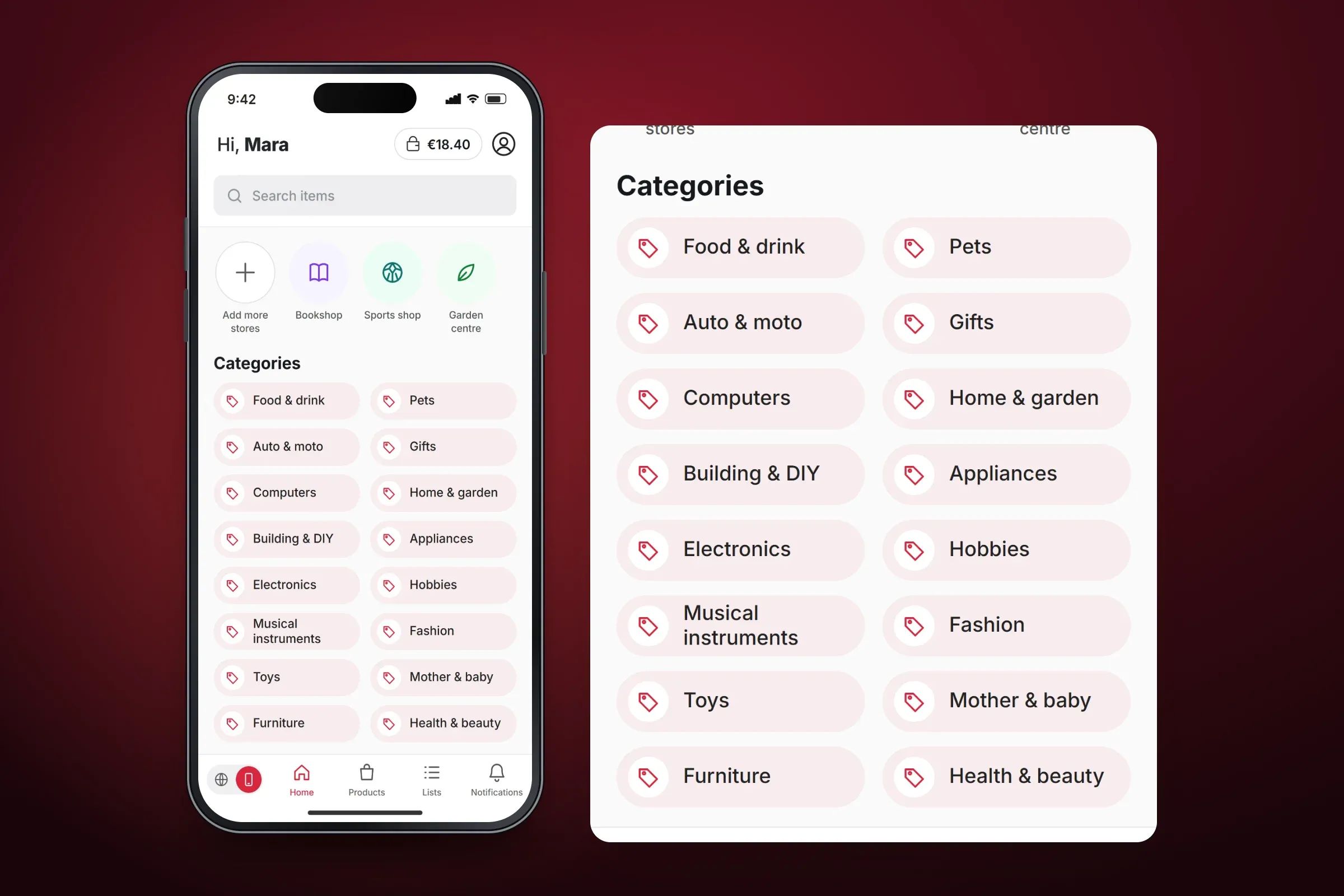
Shopping categories on the home screen. Close-ups on phones: tap any image for the full screen. One item, every shop
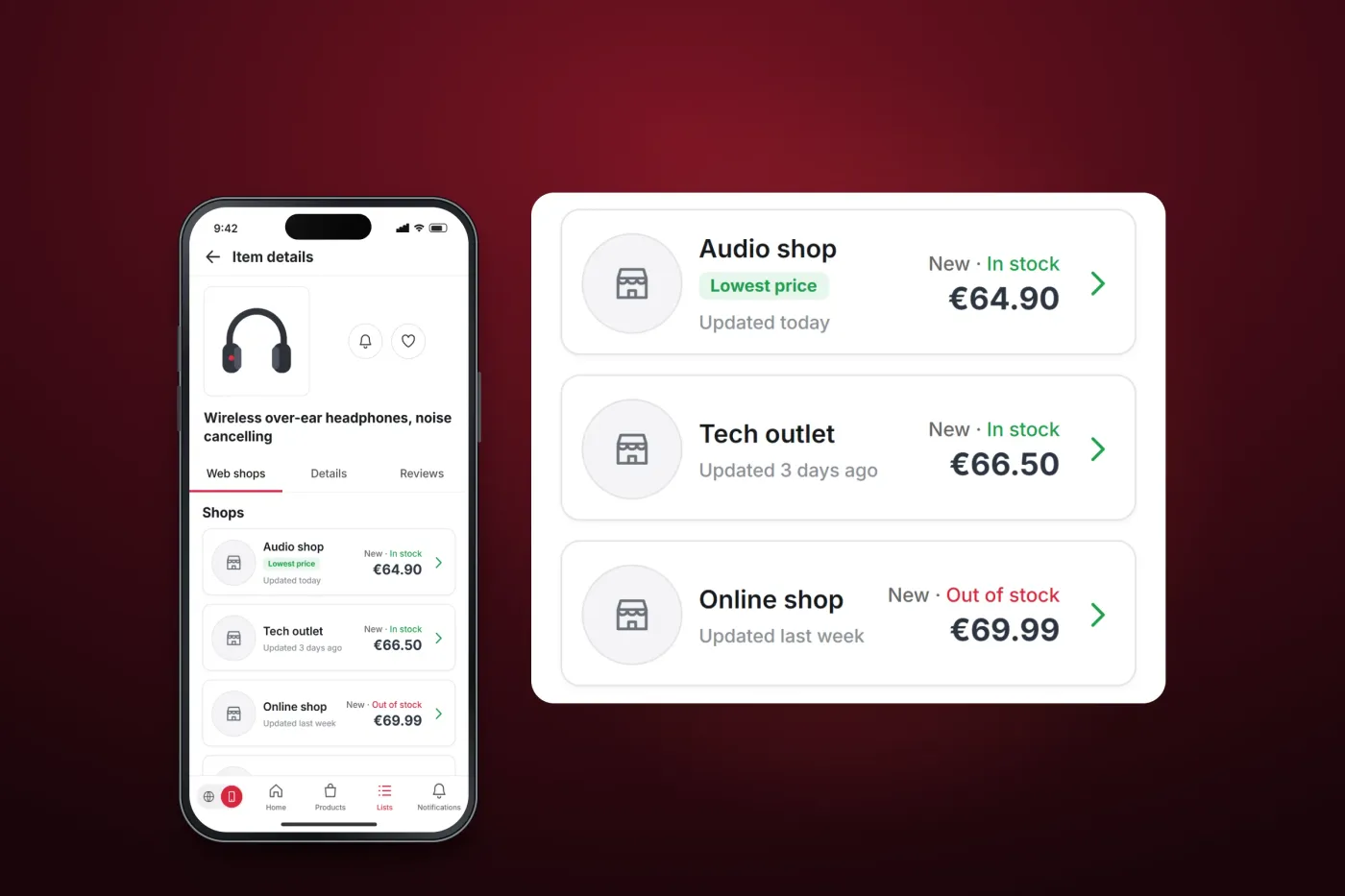
An item's page lists the online shops that sell it, each with its price, condition, stock and when the price was last updated, so the cheapest offer is clear at a glance. From the same page the user can follow the item for alerts or add it to favourites.
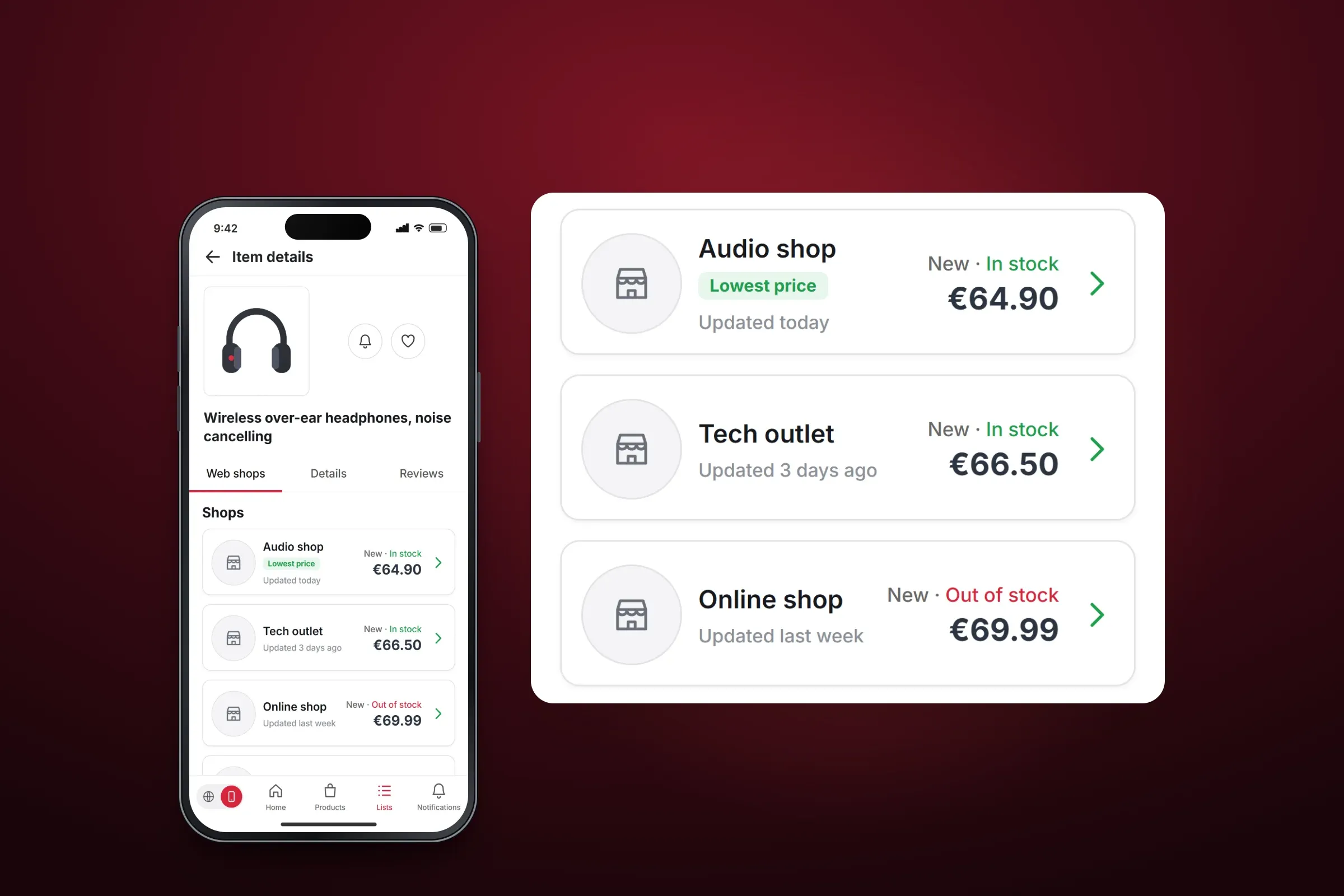
Price comparison across shops. Close-ups on phones: tap any image for the full screen. Notifications
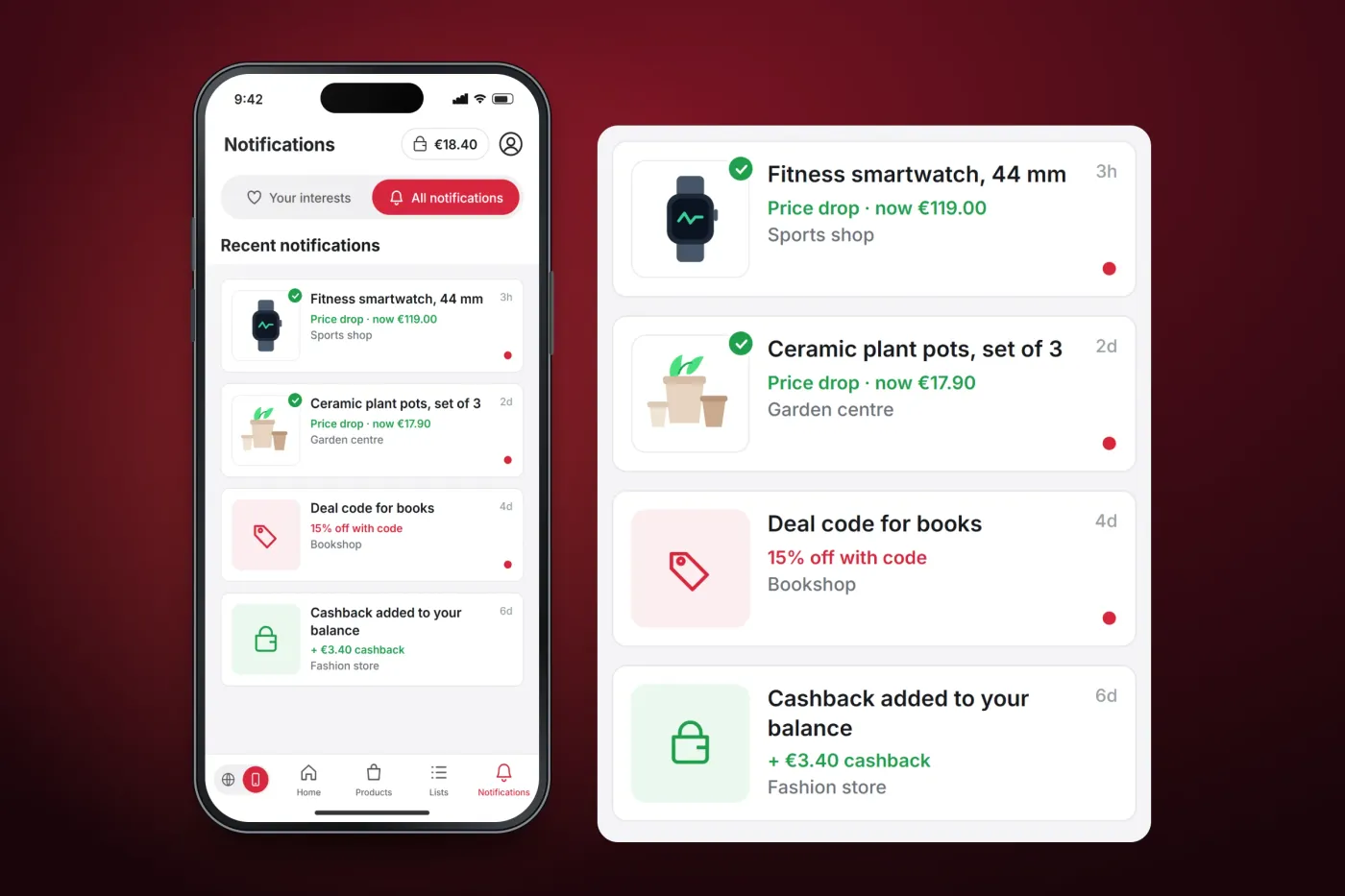
Notifications about followed items and offers can be narrowed to the user's interests or shown in full, with unread items marked.
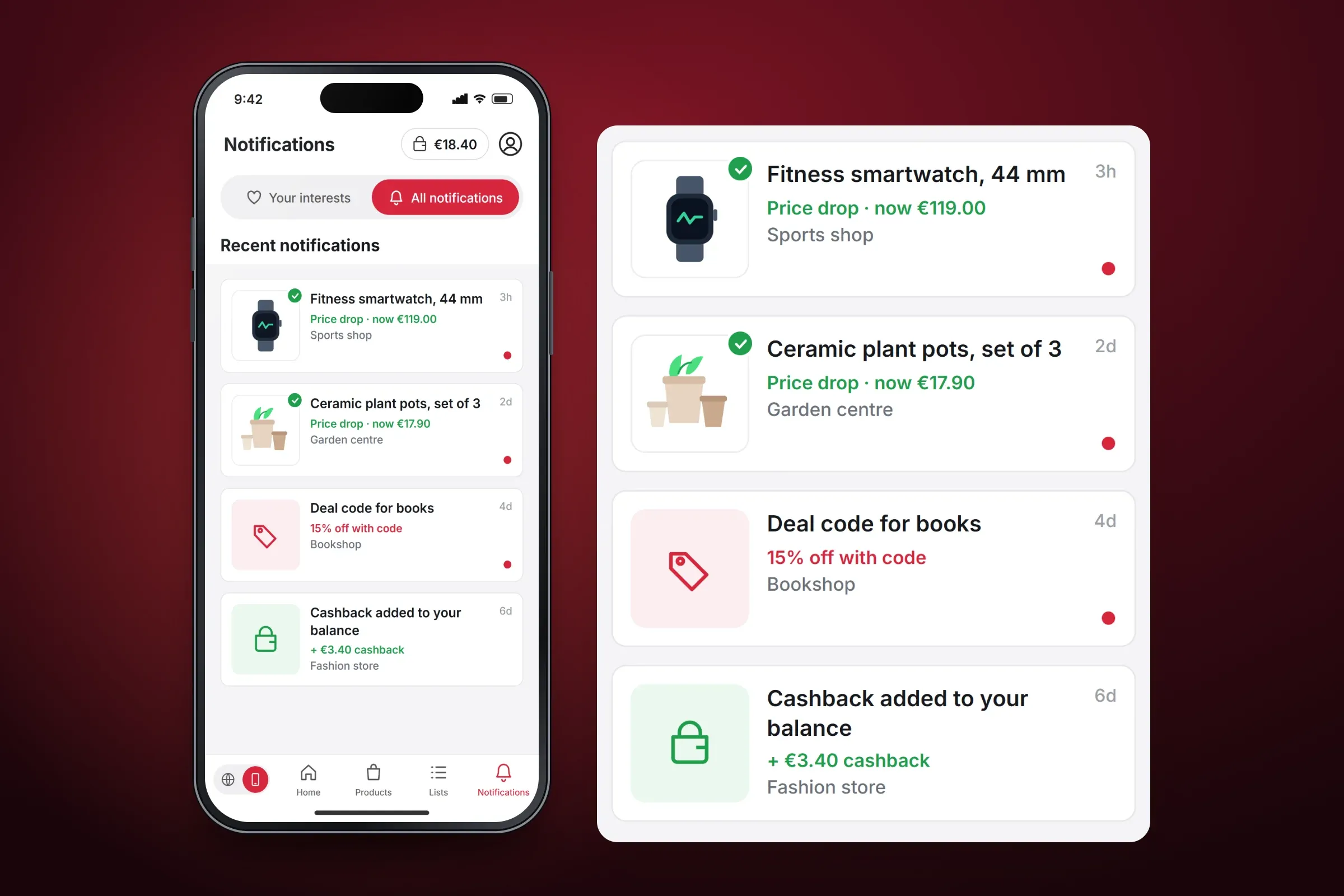
Notifications about followed items and offers. Close-ups on phones: tap any image for the full screen.
About these images: the screens are recreated from the delivered app for this case study, with neutral naming and example data in place of the client's brand, stores, products and prices. They follow the app's real screens and functions, but they are not screenshots of it.
Related services