Case study · Client name withheld
Connected Performance Platform
Mobile and Apple Watch software for a connected sports wearable
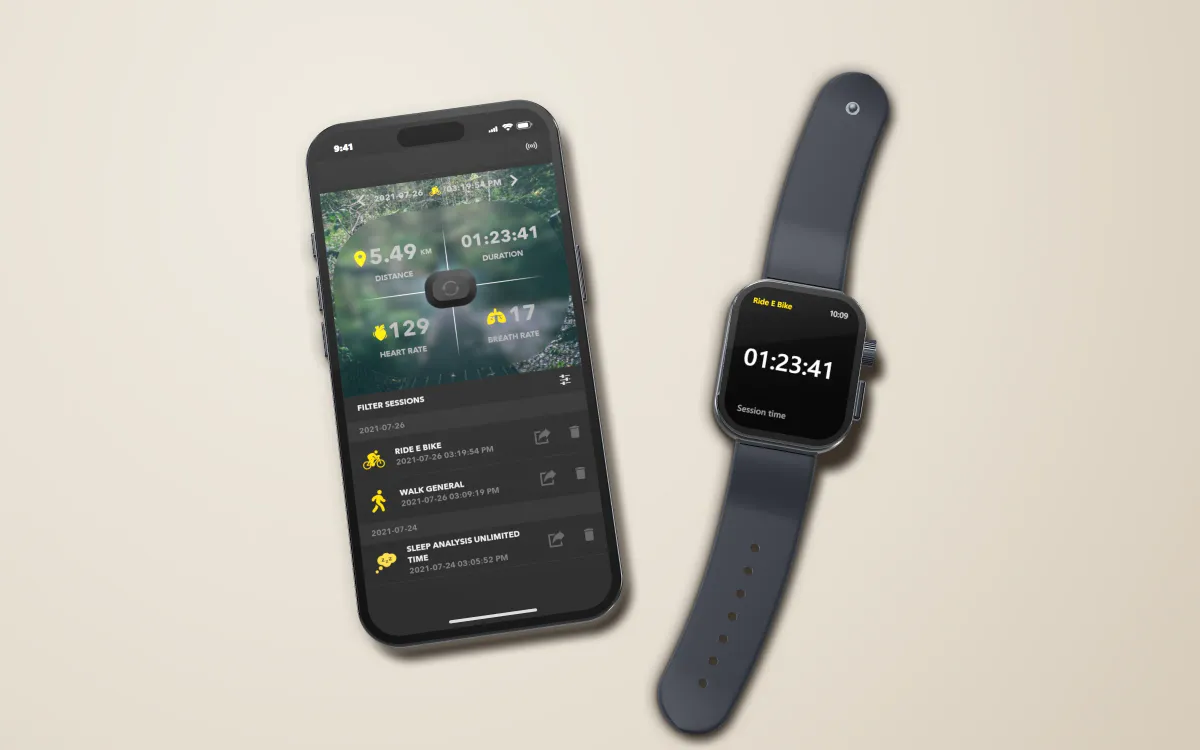
Heart rate and breathing from the client's clip-on sensor — live during a session, then as charts, training zones and history. We designed and built the iPhone, Apple Watch and Android apps and their back end.
- Client
- Sports-technology company
- Platforms
- iOS · Apple Watch · Android
- Our scope
- UI/UX design · iOS and Apple Watch · Android · Back end
- Period
- 2018–2023
The product
From sensor to screen
The client makes a smart sports shirt with a small clip-on sensor unit. The sensor measures the body; the phone is where athletes start a session, watch their data and look back at their training. The software had to connect to the sensor reliably, show data live, keep a history on the phone and stay in step with new sensor firmware across several product versions.
Scope The shirt, the sensor hardware and its firmware are the client's. Our work was the software that uses them.
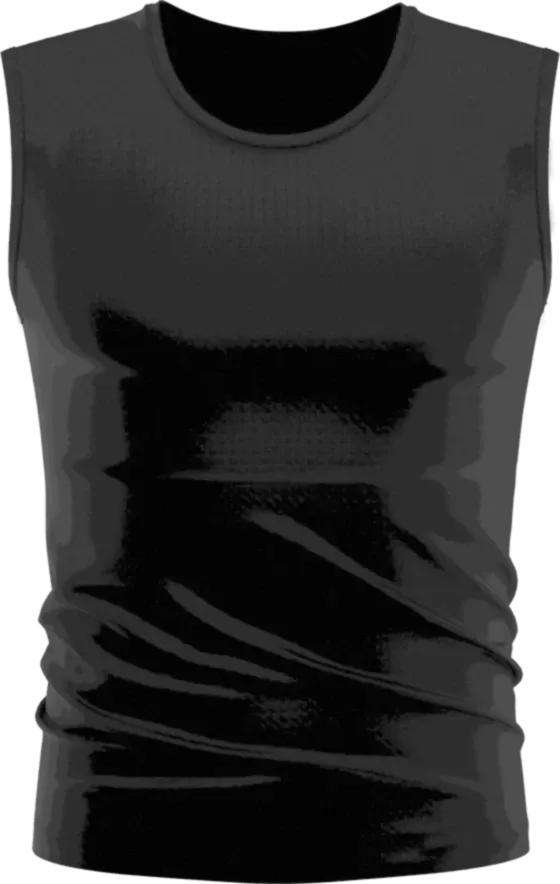 Client hardware
Smart shirt
The client's sports textile, worn during training
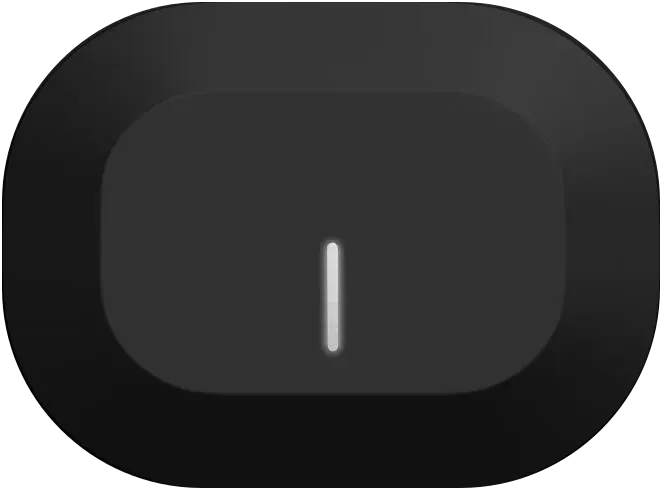 Client hardware
Sensor unit
Clips onto the shirt and measures the body; its firmware is the client's
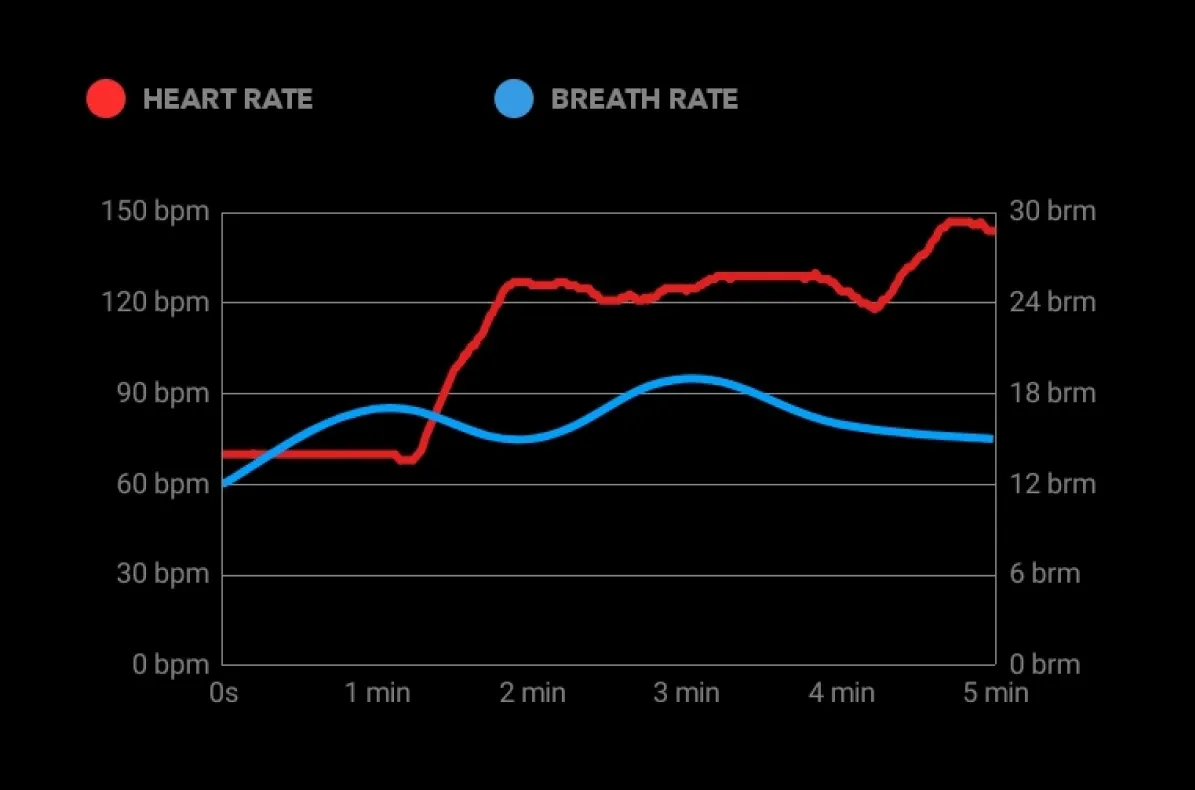 Built by Keshav Infotech
Our apps
iPhone, Apple Watch and Android — pairing, live readings, session history and firmware updates. Shown here: one session's heart rate and breathing, as the app charts them.
The sensor connects to the apps over Bluetooth Low Energy.
Our contribution
What our team designed and built
UI/UX design
The app's flows and screens, from starting a session to reading its results, in a dark interface with large live numbers.
iOS and Apple Watch
The iPhone app in Swift and UIKit with a WatchKit companion for the wrist, including the Bluetooth link to the sensor and on-device session storage.
Android
The Android app in Java, covering the same product for Android users.
Back end
The web services the apps use behind the scenes, including user accounts.
Technologies Swift · UIKit · WatchKit · Core Bluetooth · Java · SQLite
The product in use
What athletes see
Time in each training zone
Zones drive the charts, so athletes can see how hard a session really was. Speed, breathing and heart-rate zones are each set separately — calculated automatically or typed in as the athlete's own limits.
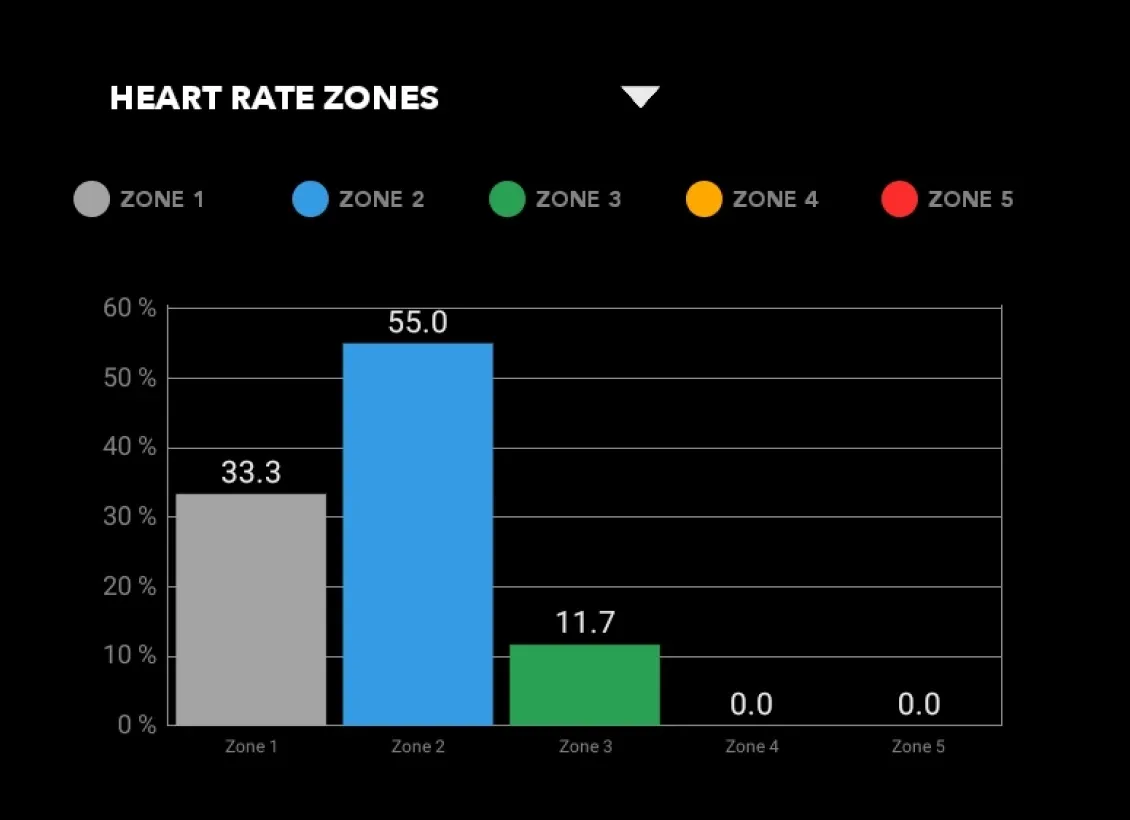
One session's time in heart-rate zones: 33.3 % in zone 1, 55.0 % in zone 2, 11.7 % in zone 3. 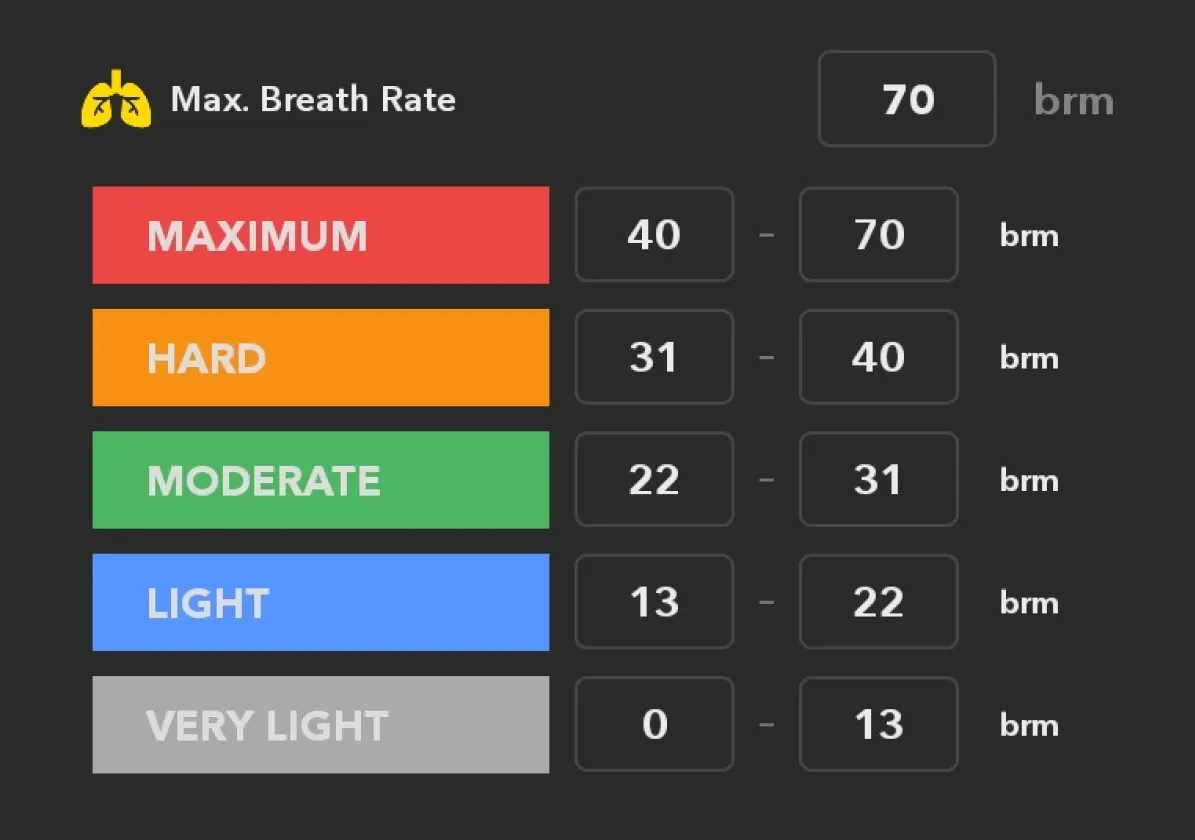
Breathing zones from Very light to Maximum, each with its own lower and upper limit. Week against week, month by month
Training history stays on the phone, so athletes can compare this week with the last and see how their training time builds across a month.
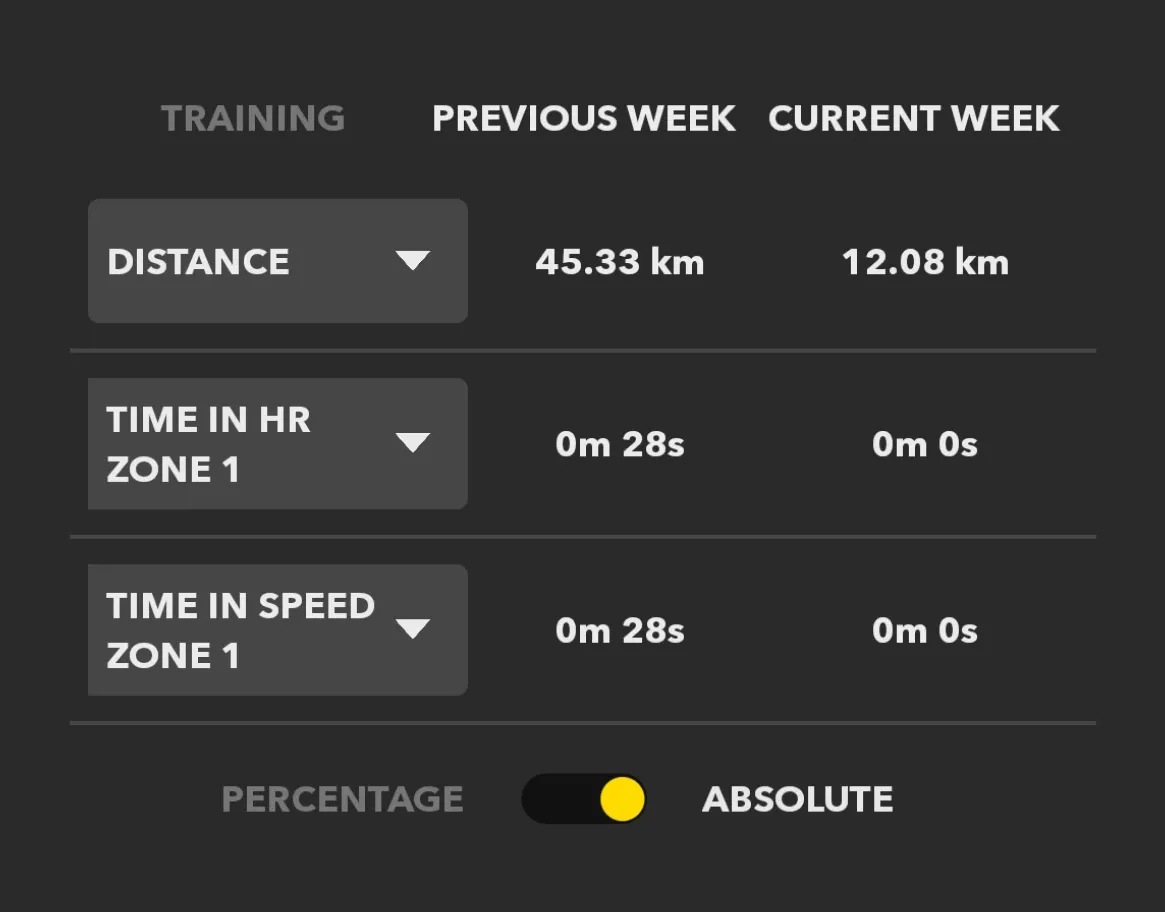
This week against last: 45.33 km before, 12.08 km so far, plus time in zones. 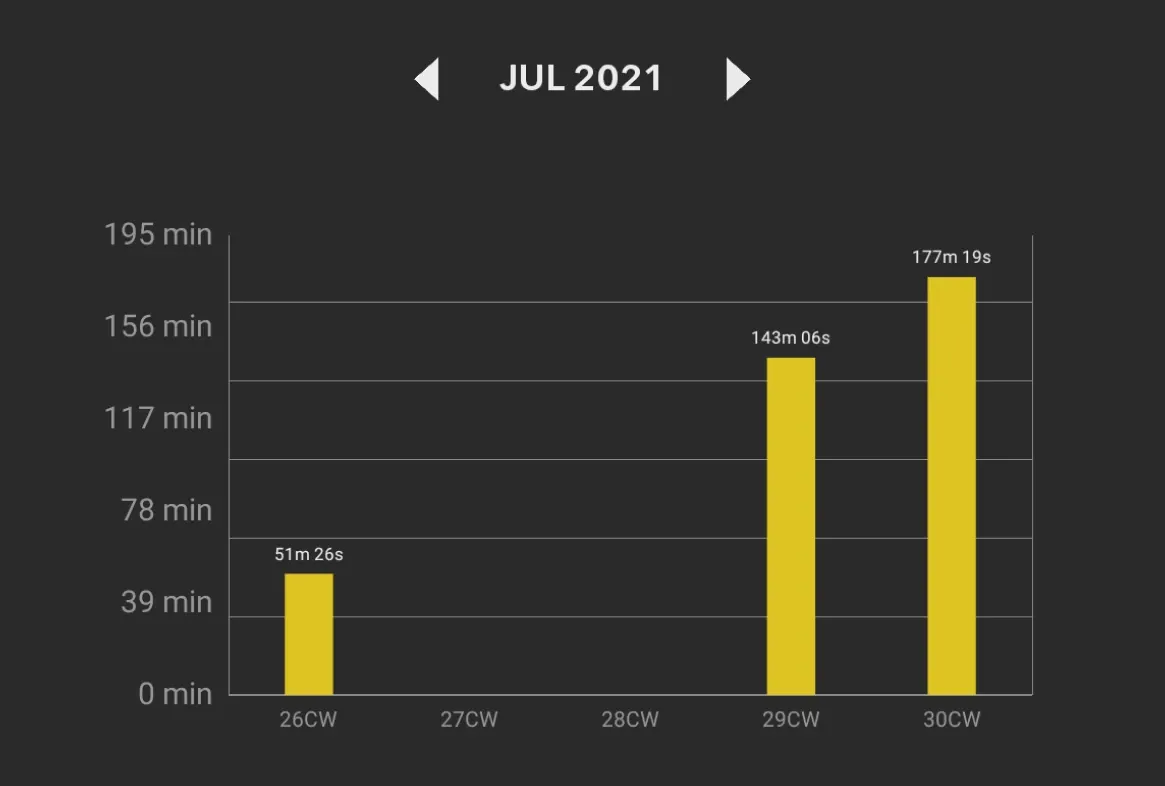
Training time per calendar week in July 2021: 51, 143 and 177 minutes in the weeks with sessions.
About these images: the interface panels are cropped from the delivered app's screens, unchanged; the phone and watch are 3D renders, the phone showing a delivered screen with the client's branding removed; the watch face is illustrated; the shirt and sensor pictures are the client's own product images.
Field notes
Design and engineering decisions
A sensor that simply connects
Athletes start a session and see their body data straight away. The apps connect to the sensor unit over Bluetooth Low Energy (Core Bluetooth on iOS), stream heart rate and breathing during a session and sync the session files the sensor stores.
Sensor updates without another tool
New sensor firmware reaches athletes through the app they already use. The app transfers the client's firmware to the sensor unit; on iOS the transfer runs on a background thread with a checksum (CRC) on each packet, so the interface stays responsive and corrupted packets are caught.
Many signals, one screen
A live session shows heart rate, breathing rate, distance, speed, calories, training effect and the route on a map at the same time, with GPS and elevation switchable per session.
Zones that follow the athlete
Heart-rate, breathing and speed zones drive the charts. In 2022 the app was updated so that live sessions and charts use the athlete's updated zone values.
Related services
The services behind this project
- Mobile app development Native and cross-platform iOS and Android apps, with their back end, from first release to long-term upkeep.
- Apps for IoT and connected devices IoT app development for Bluetooth and Wi-Fi hardware — pairing, live sensor data, device control, sync and firmware updates from the app.