Case study · Client name withheld
Food Ordering App for Local Restaurants
Delivery orders from local restaurants, from menu to checkout
The client wanted a simple way for customers to order from local restaurants. Our team developed the mobile app: customers browse restaurants, cuisines and dishes, build a cart, choose how to pay, enter a delivery address and see each order's status.
- Client
- Food delivery service
- Platforms
- Android
- Our scope
- Mobile app development
The product
What it does, and for whom
Food ordering should take a few taps. The app opens on search, offers, cuisines and a list of restaurants with ratings; each dish has its own page with a description and quantity. The client's aim was also to give local restaurants a low-cost way to take online orders without high commissions.
Scope The restaurants, their menus and the client's business model are the client's. Our work was the mobile app described here. To keep the client confidential, the screens on this page are recreated from the delivered app with neutral naming, fictional restaurants and dishes, and example prices.
Our contribution
What our team built
Mobile app development
The customer app: sign-up and login, restaurant and dish browsing, the cart, checkout with payment types and delivery address, running and past orders, favourites and the account menu.
User flow
From hungry to ordered
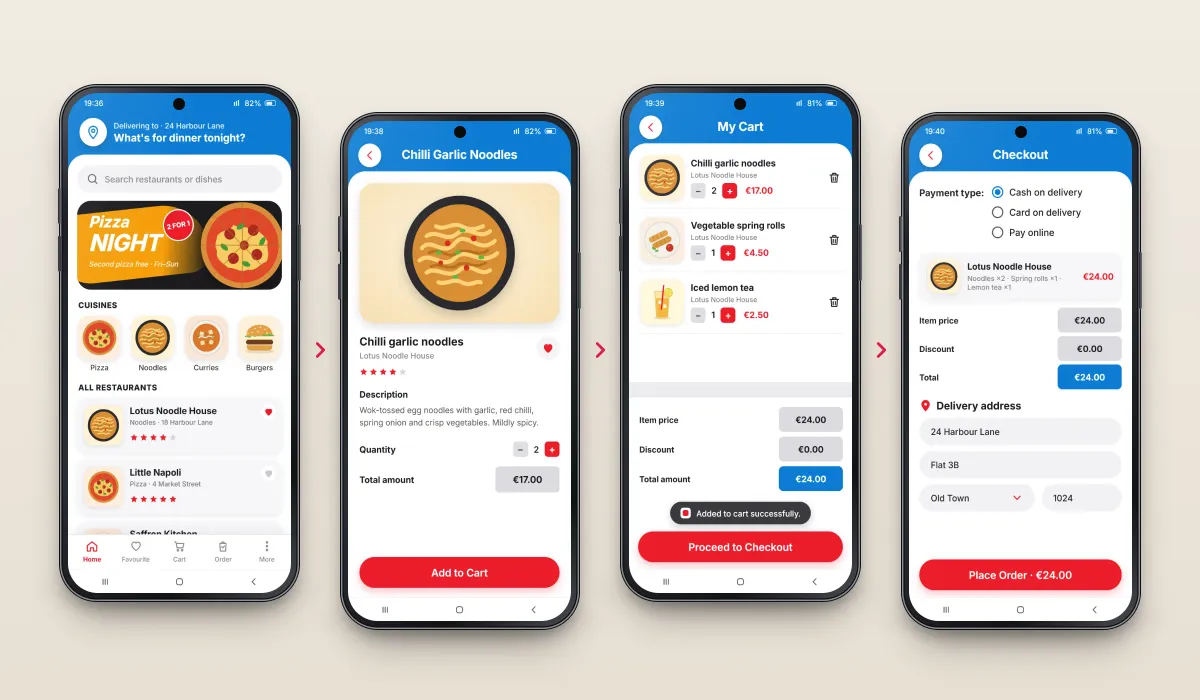
Four steps from the home screen to a placed order.
Browse
Restaurants, cuisines and offers on the home screen.
Choose a dish
Description, quantity and price.
Review the cart
Items, quantities and totals.
Check out
Payment type and delivery address, then place the order.
The product in use
Inside the app
Restaurants, cuisines and dishes
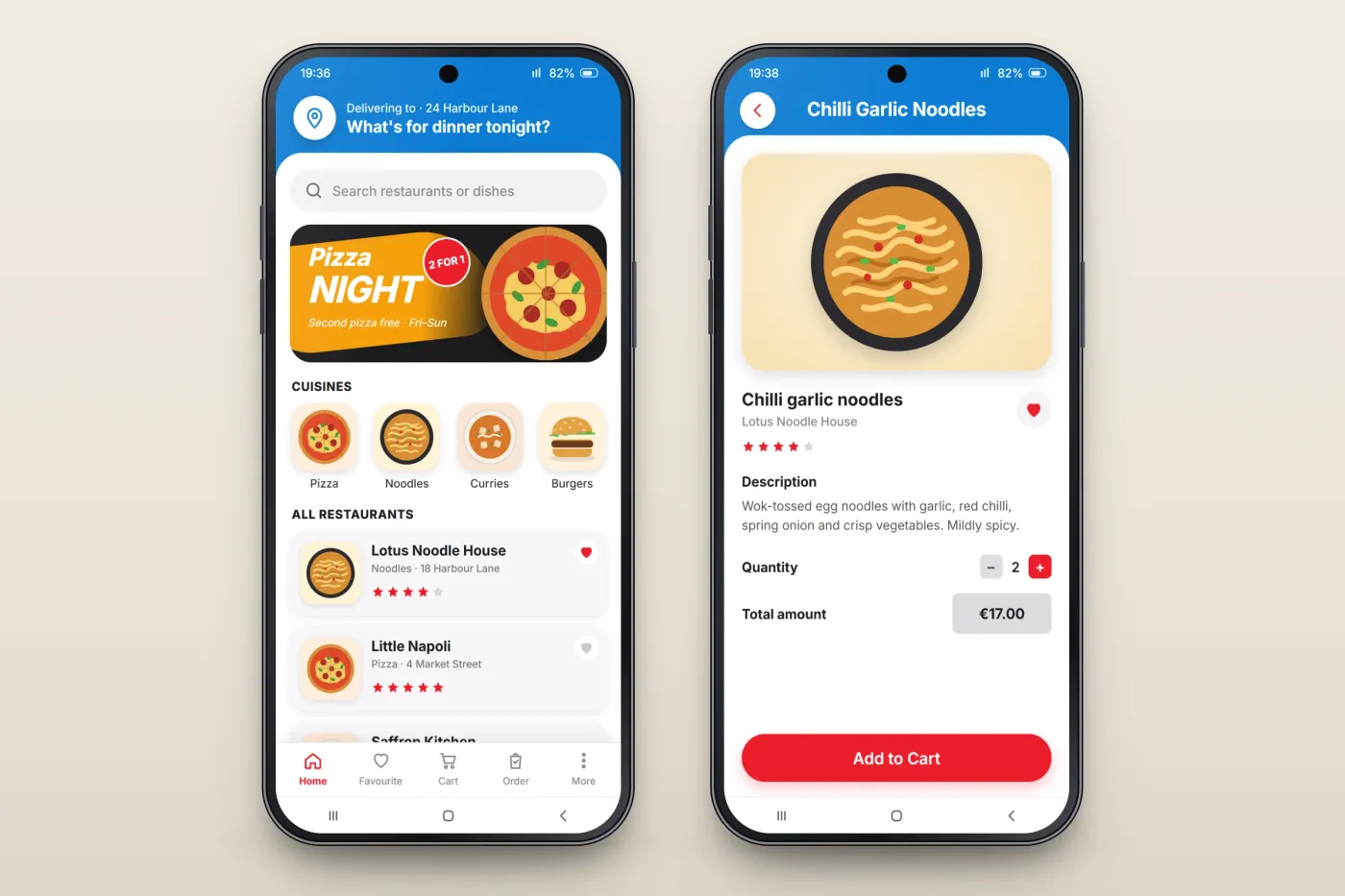
The home screen brings together search, a featured offer, cuisine tiles and the list of restaurants, each with its cuisine, address, star rating and a heart to save it. A dish page shows the dish, its restaurant and description, and lets the customer pick a quantity before adding it to the cart.
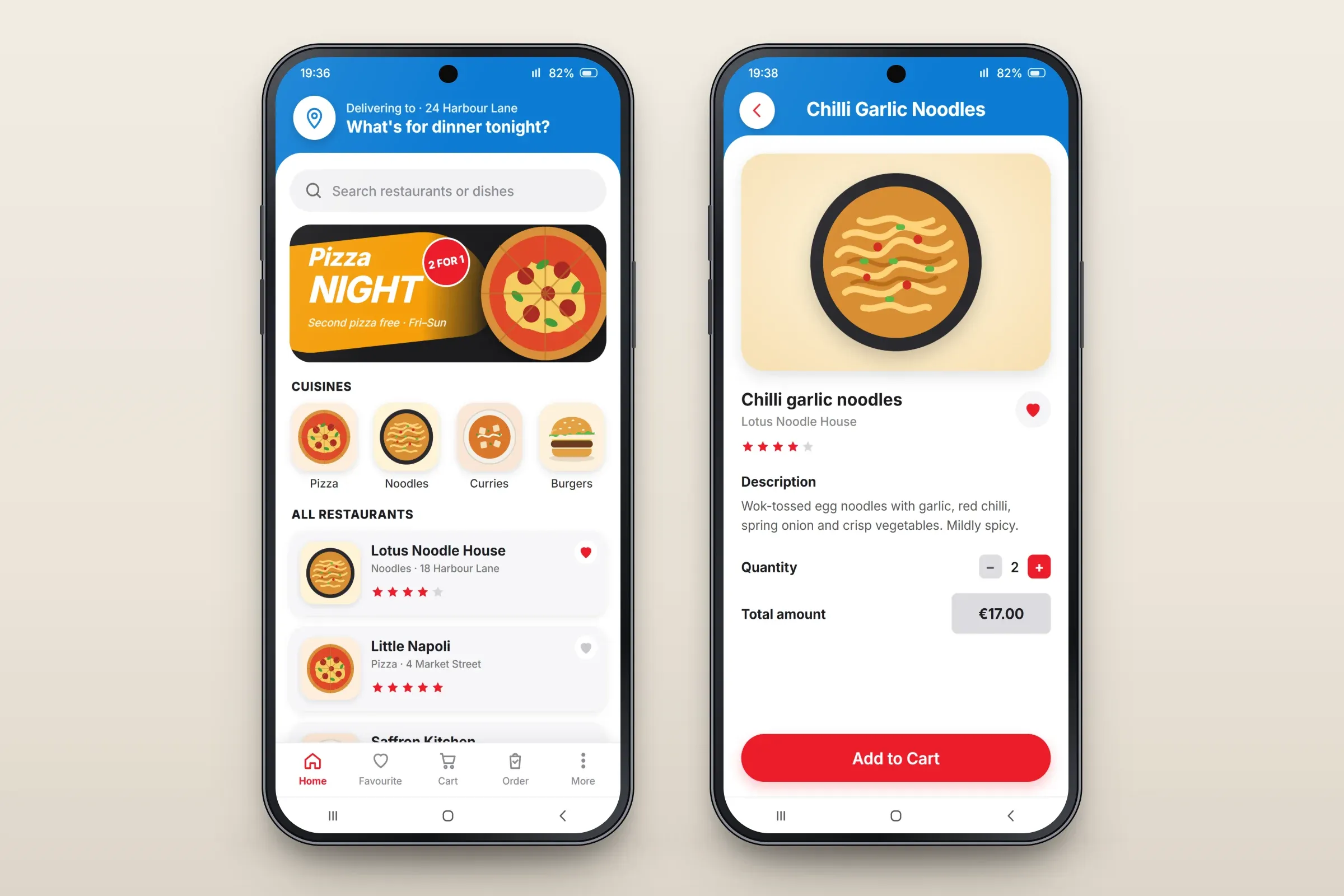
Browsing restaurants, and a dish page. Close-ups on phones: tap any image for the full screen. Cart and checkout
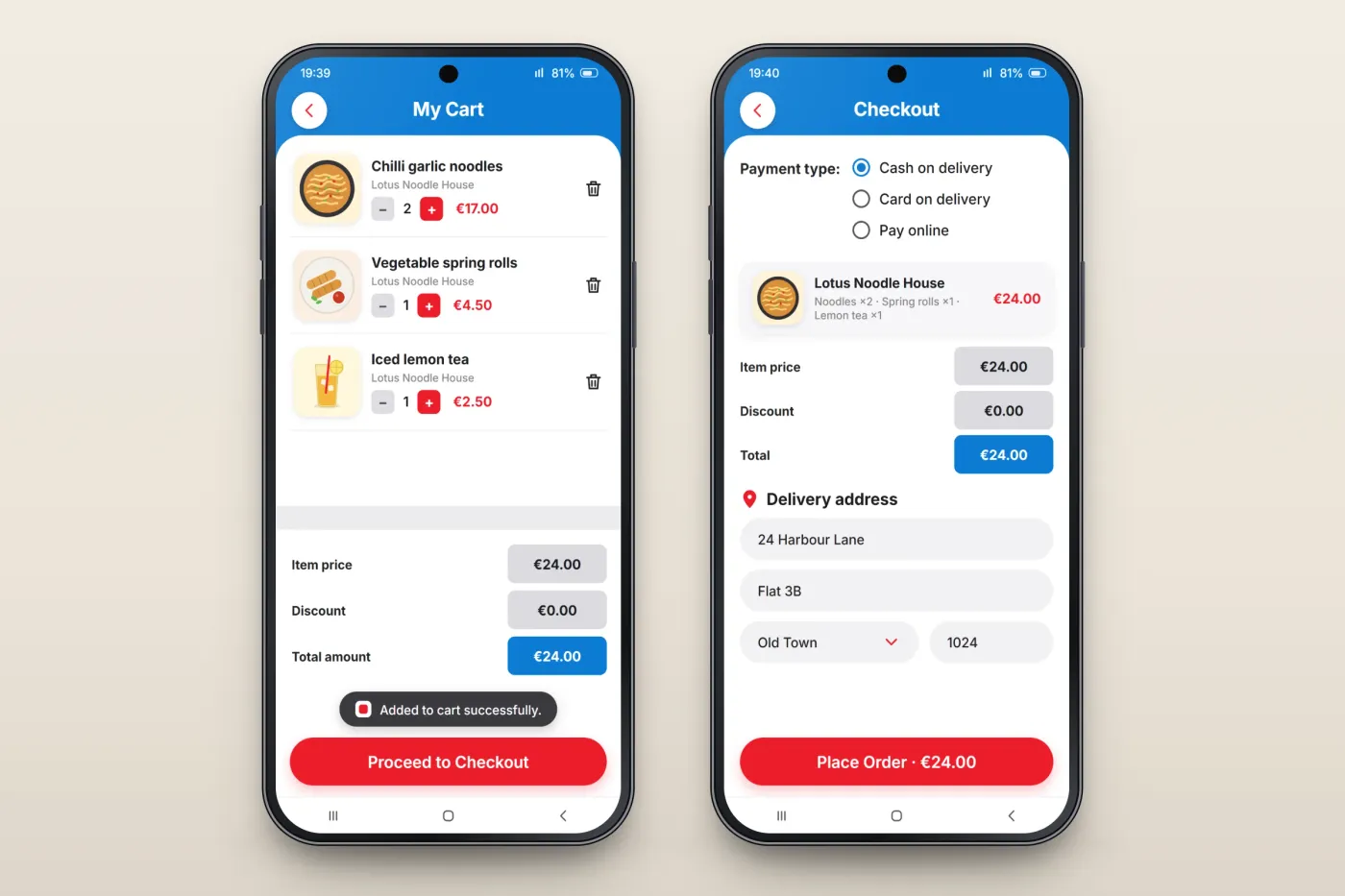
The cart lists each item with its restaurant, a quantity stepper, price and a delete button, above the item price, discount and total. At checkout the customer chooses a payment type — cash on delivery, card on delivery or online payment — checks the order and enters the delivery address.
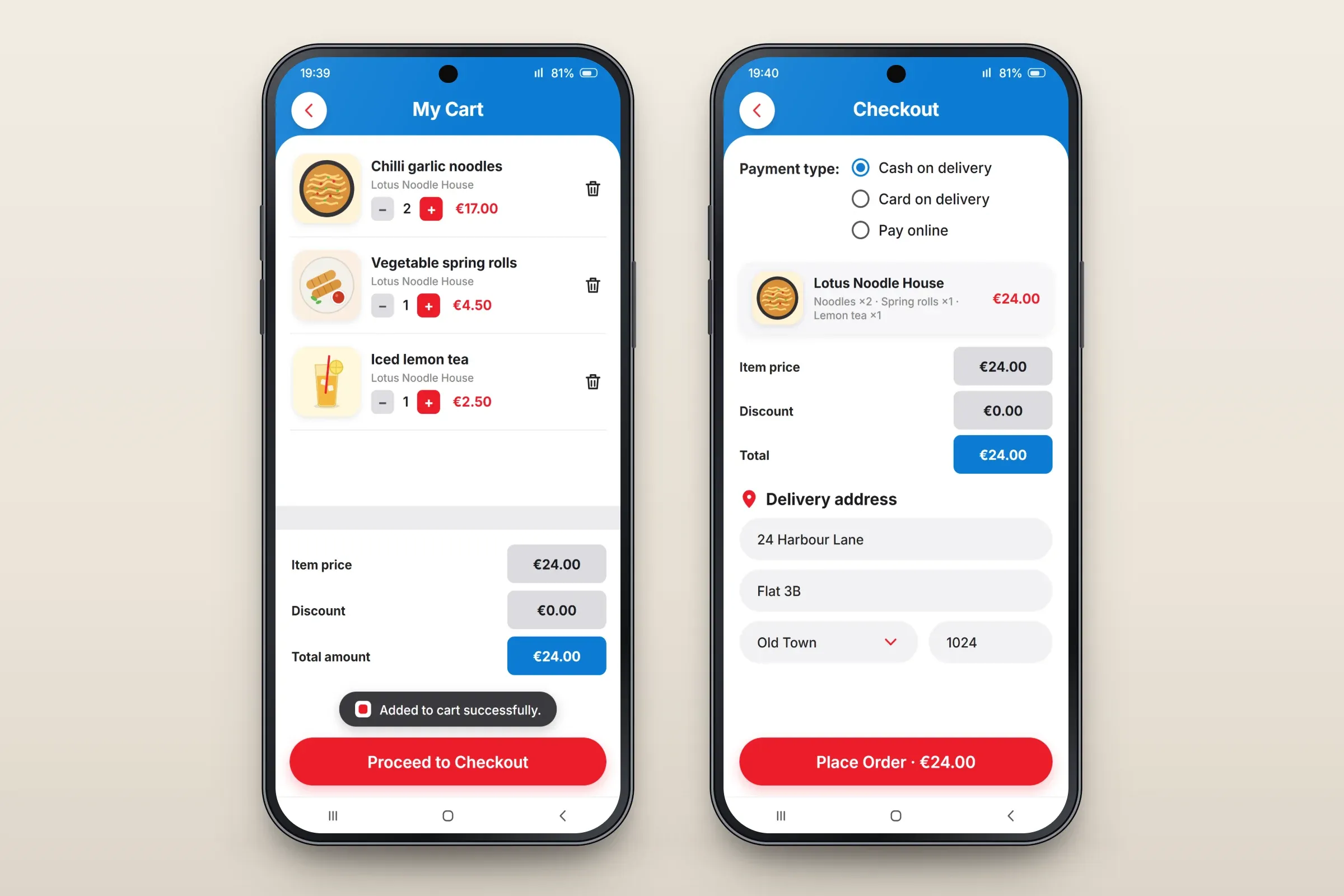
Cart, and checkout with payment type and delivery address. Close-ups on phones: tap any image for the full screen. Orders and favourites
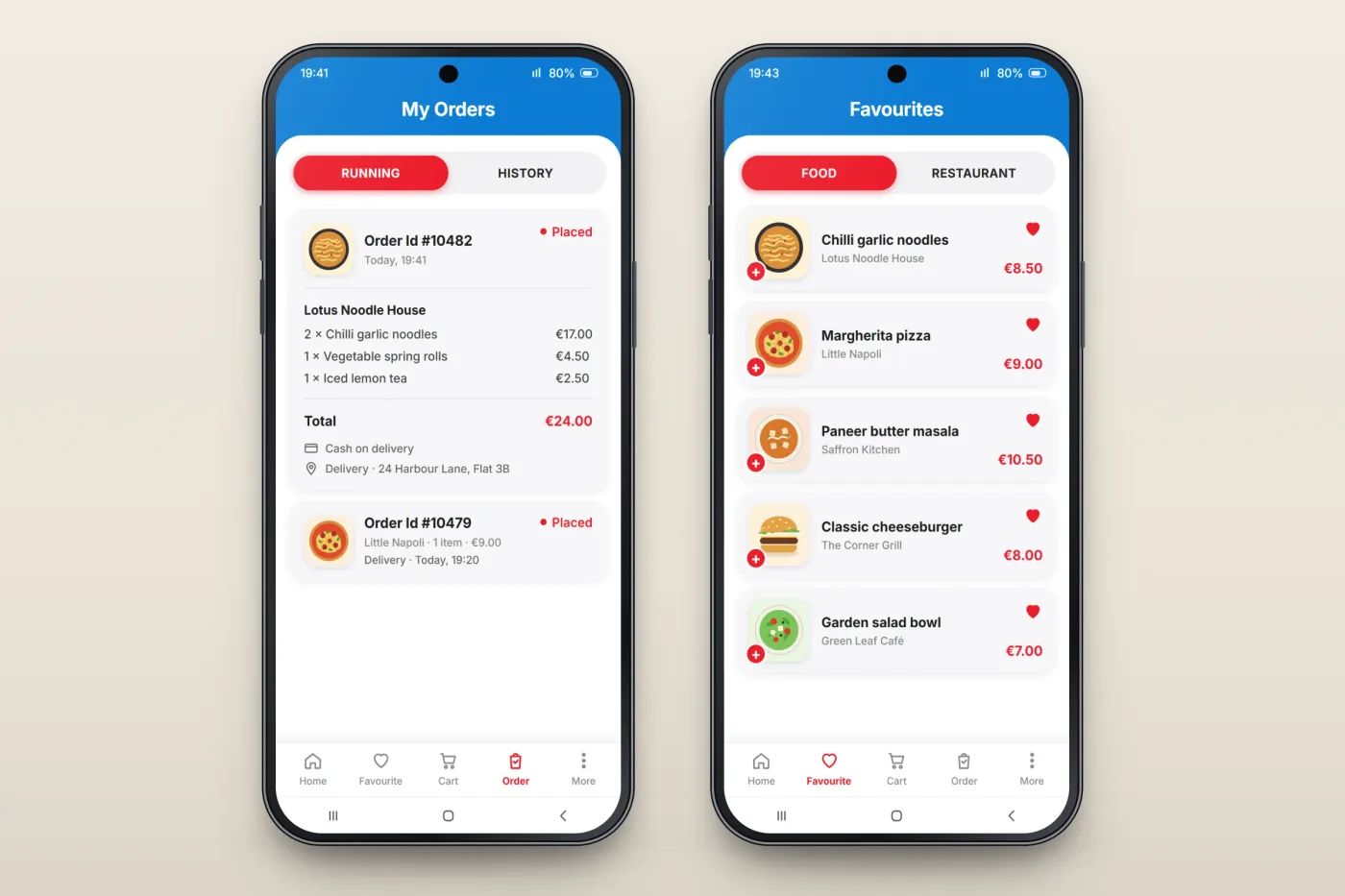
My Orders separates running orders from order history and shows each order's number, time and status. Favourite dishes and restaurants are kept on their own tab, with a quick button to add a favourite dish to the cart.
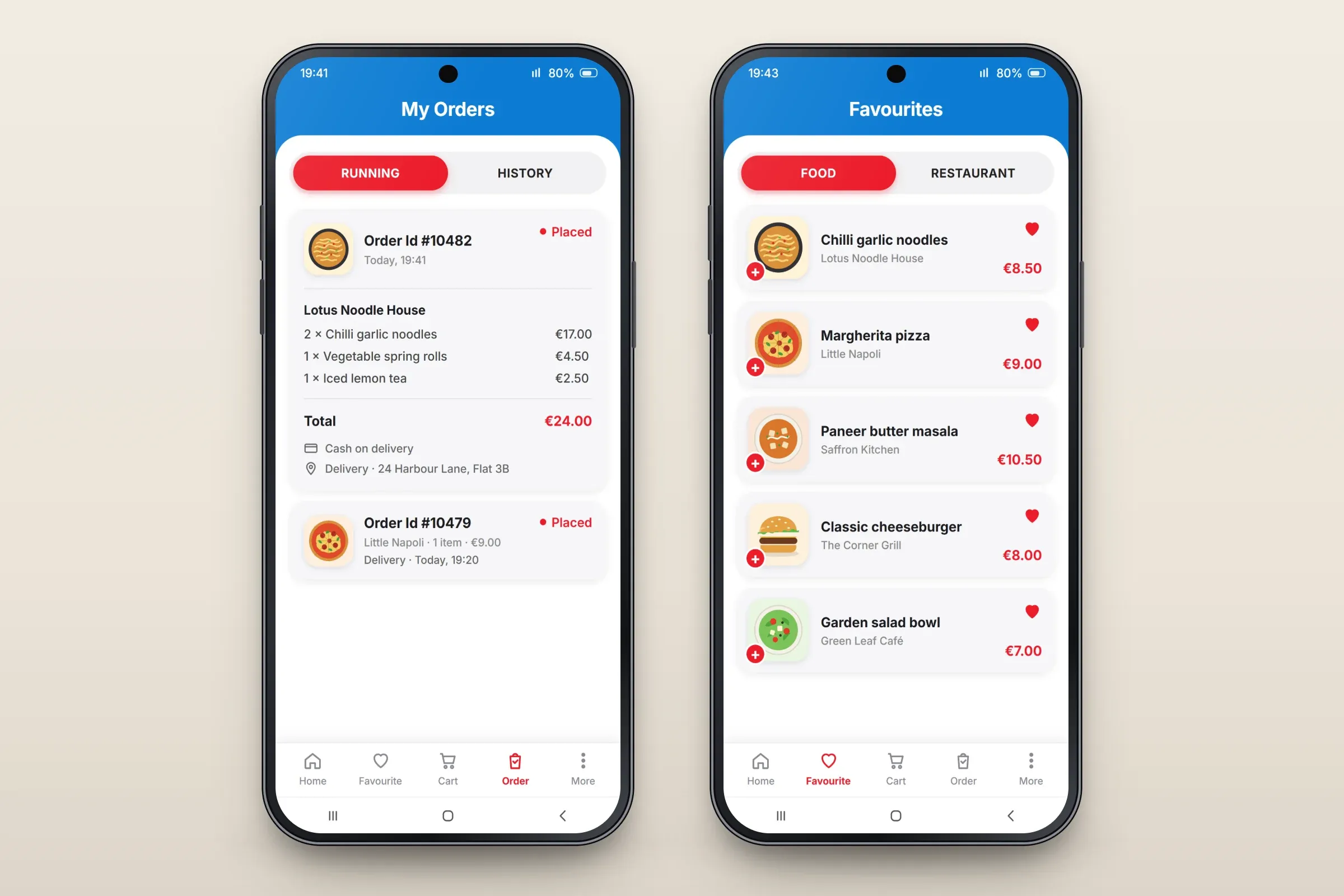
Running orders, and favourite dishes. Close-ups on phones: tap any image for the full screen.
About these images: the screens are recreated from the delivered app for this case study, with neutral naming, fictional restaurants and example prices in place of the client's brand and content. They follow the app's real screens and functions, but they are not screenshots of it.
Related services