Case study · Client name withheld
Online Learning & Education SaaS Platform
A web platform for online technical education, designed and developed for a confidential client
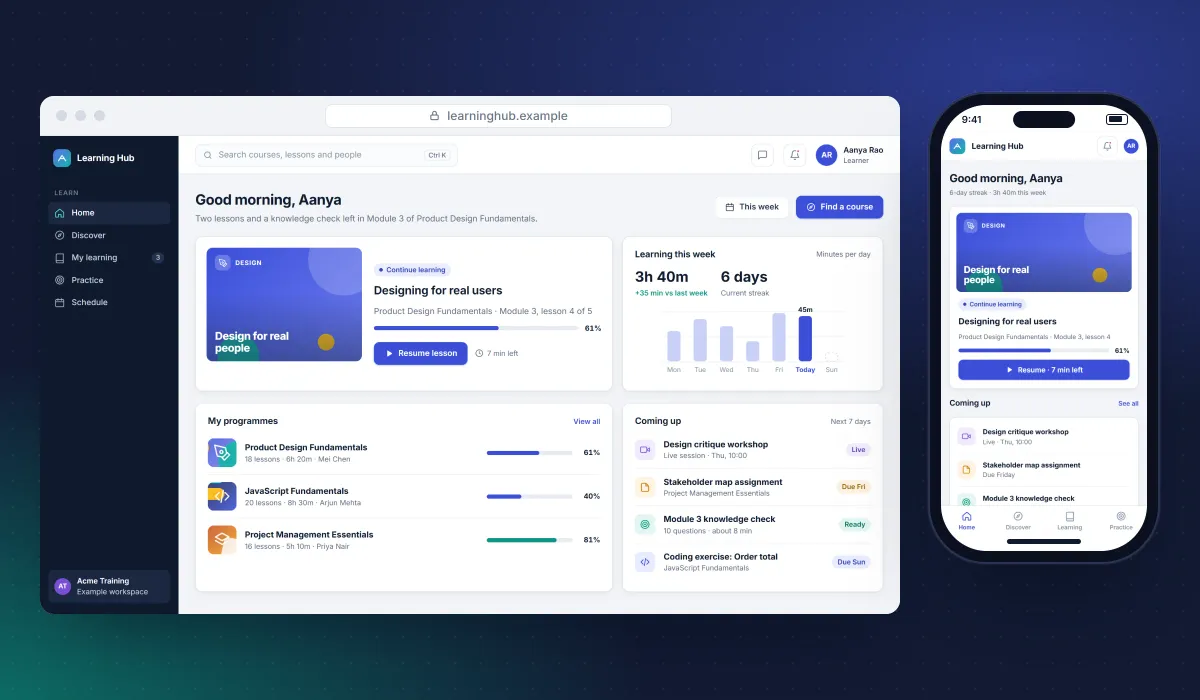
In 2019 Keshav Infotech designed and developed an online learning platform for a client in education technology: a platform for structured technical courses, delivered as a SaaS web application.
- Client
- Confidential client · Education technology
- Platforms
- Web
- Our scope
- UI/UX design · SaaS web development
- Period
- 2019
The product
What it does, and for whom
Online learning platforms serve two audiences at once. Learners need a calm, motivating path through courses, practice and progress, on any screen. The team running the platform needs fast tools to organise content, follow learners and see what is working. Technical education adds hands-on practice inside the product. These are the demands the platform is built around.
Scope The platform is the client's product. Under our confidentiality agreement, its name, branding, courses, users and figures are not shown.
User flow
The learner's path
Picking up where they left off, learning in focused lessons and checking understanding, on a phone.
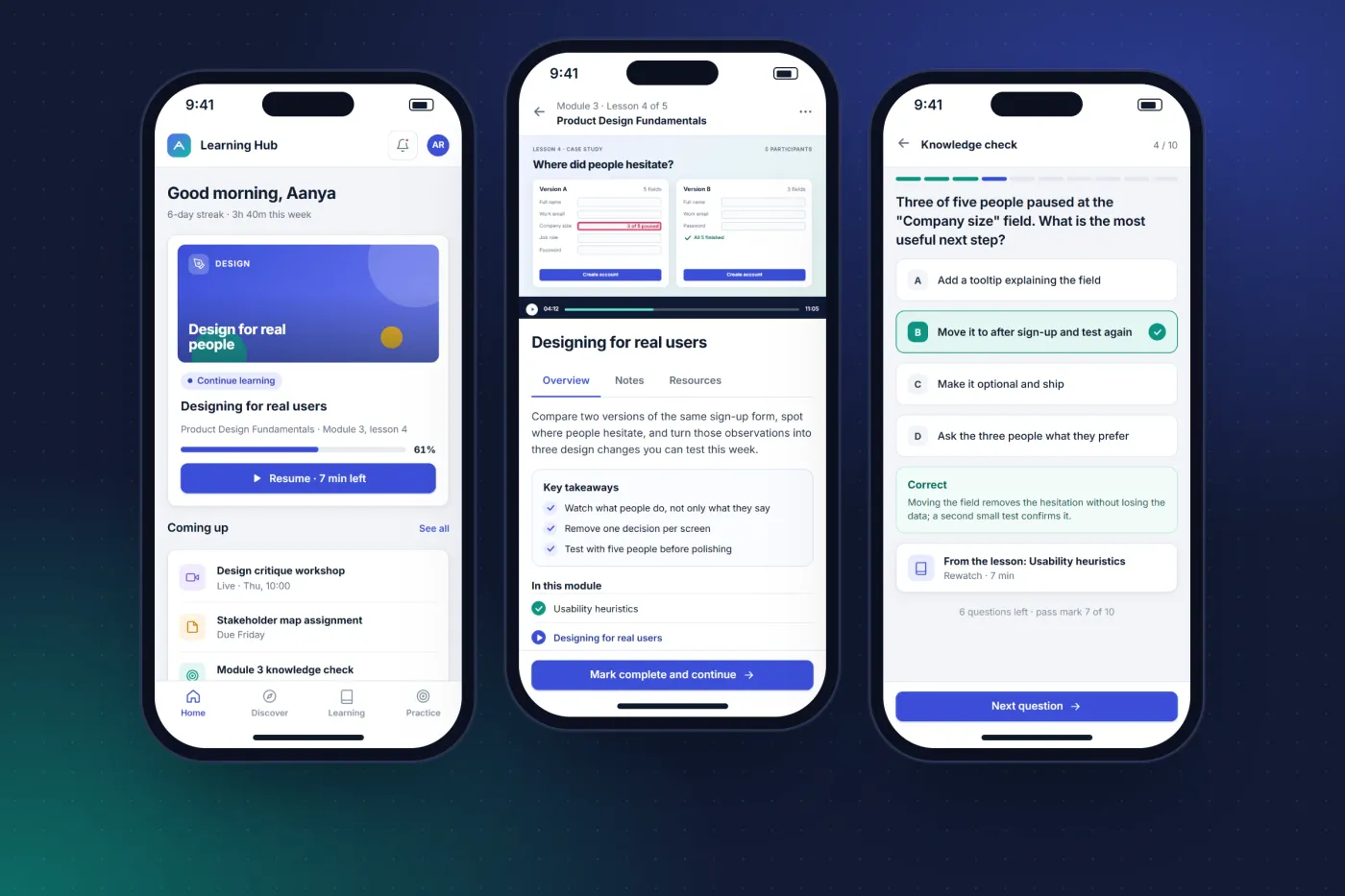
Pick up where you stopped
Home leads with the next lesson and how much is left, then what is due this week.
Learn in focused lessons
Video, key takeaways and the module outline together, with the main action always within reach.
Check understanding
Short knowledge checks give the answer and the reasoning straight away, and progress counts towards the module.
The product in use
The learning experience
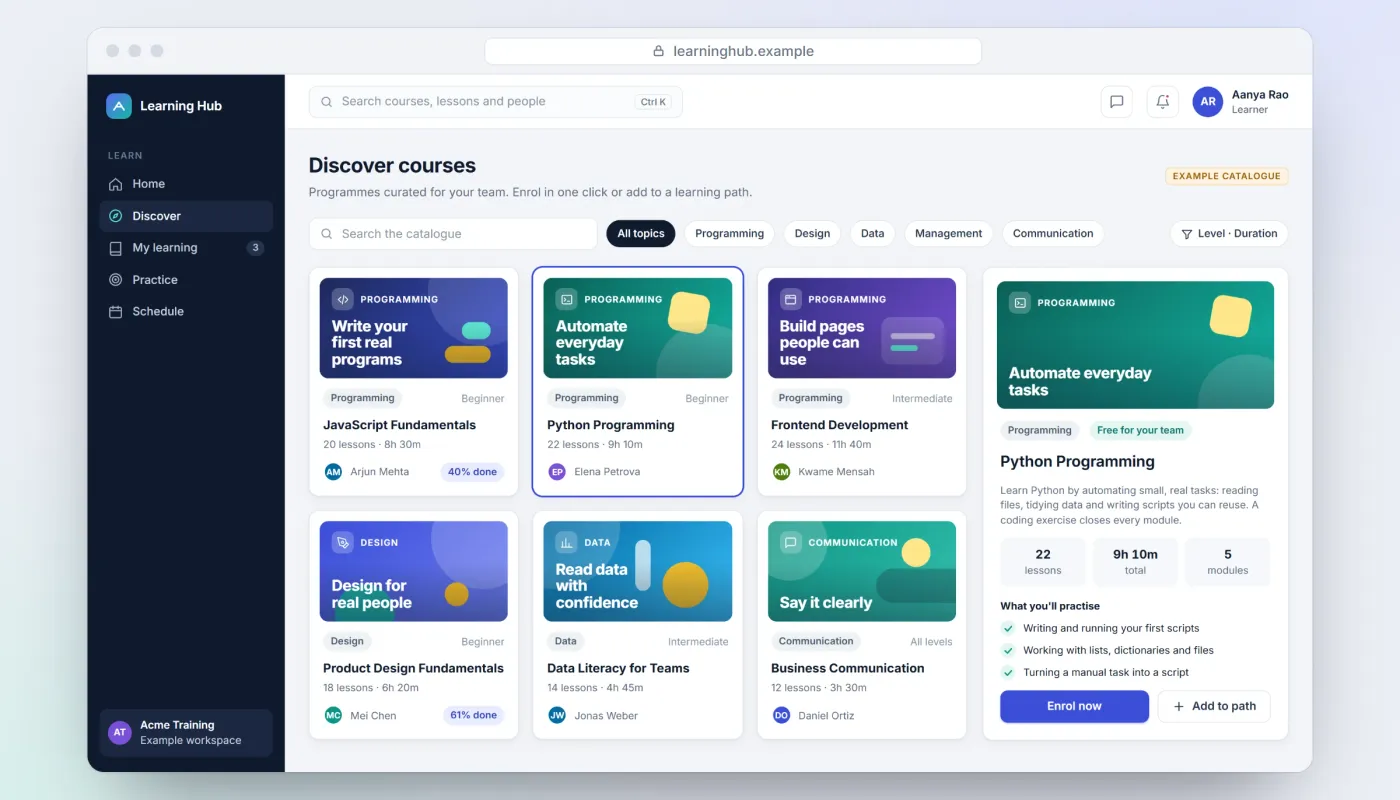
Course discovery
A catalogue of technical and professional courses, filtered by topic, level and duration. Choosing a course opens its details beside the grid, so learners can compare without losing their place.
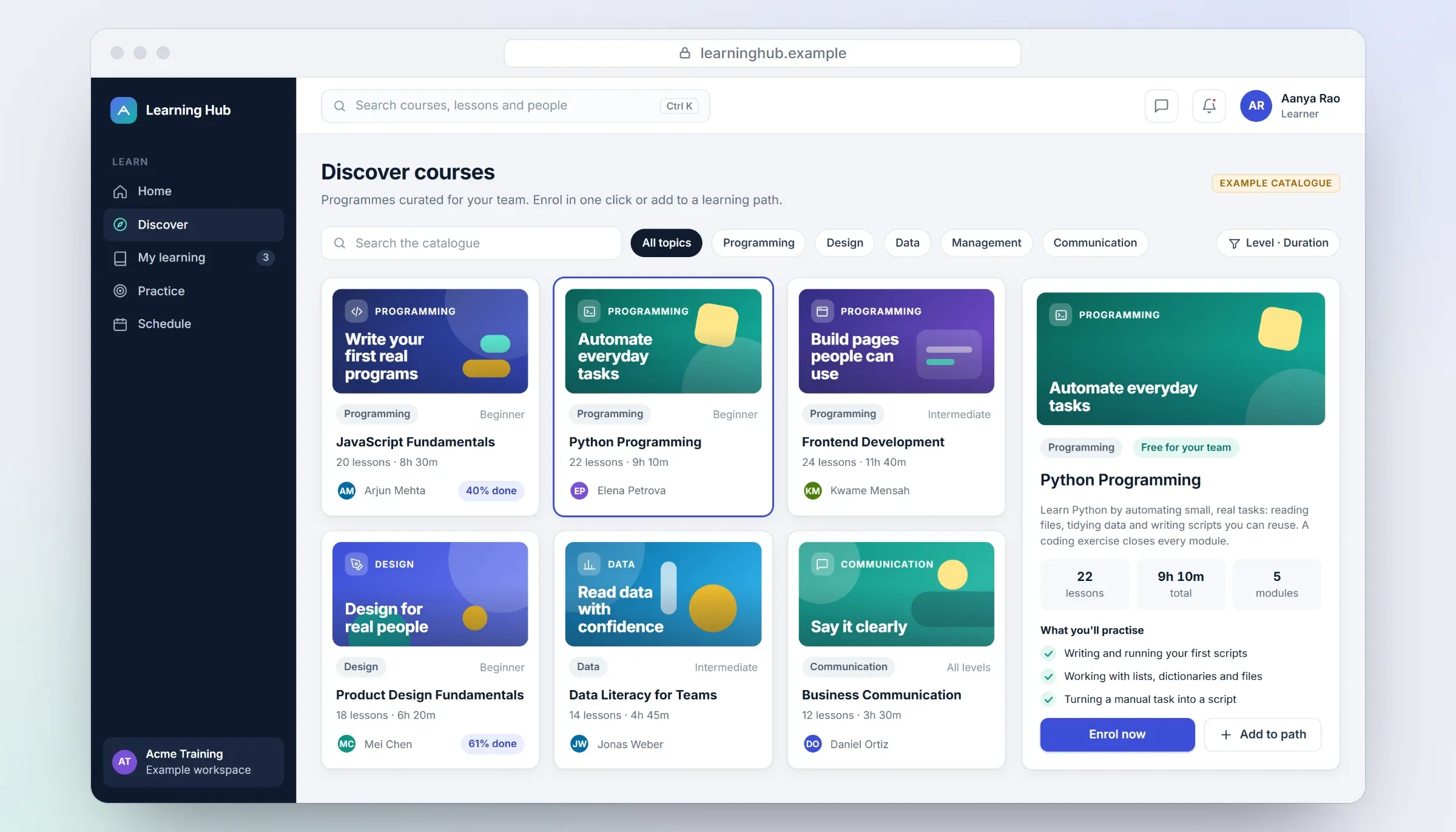
Course discovery. Close-ups on phones: tap any image for the full screen. Structured lessons
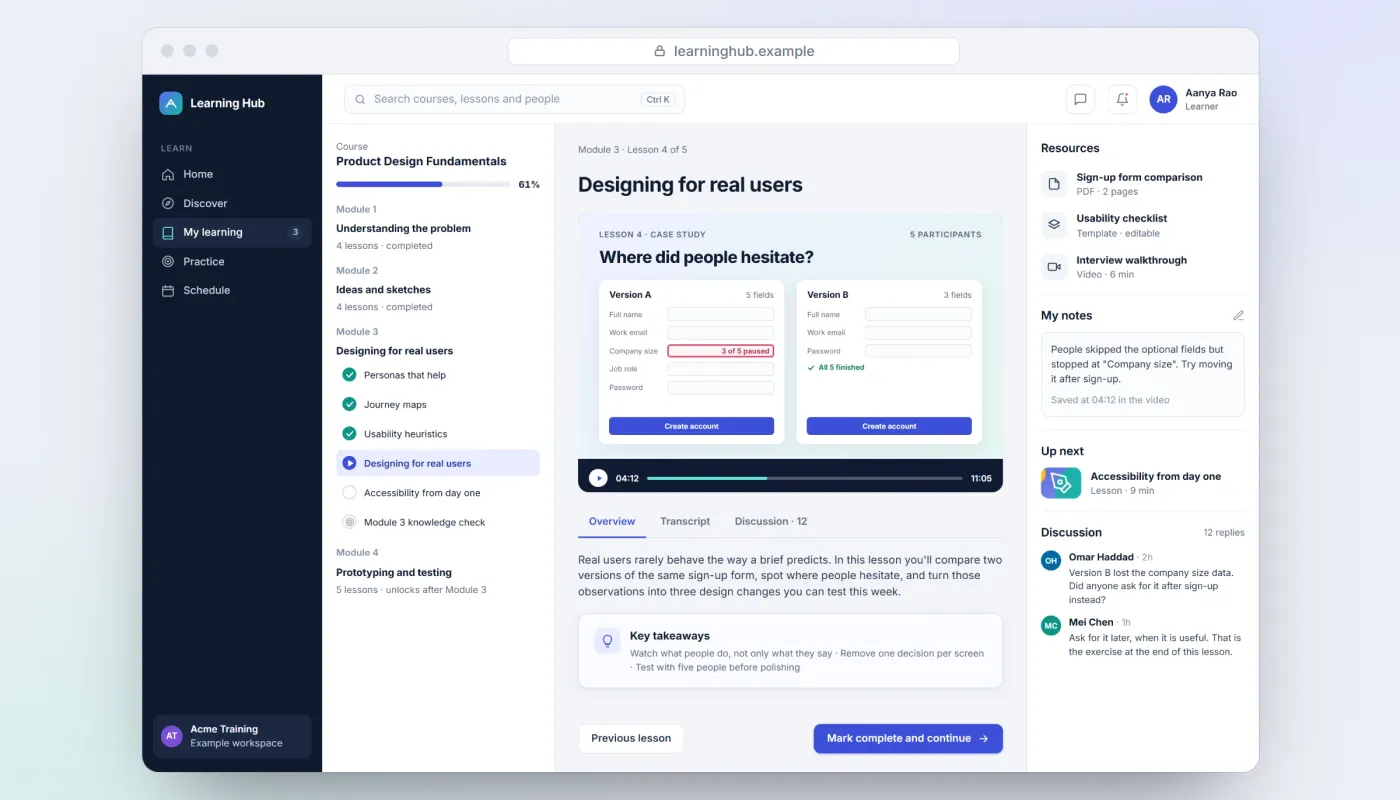
The module outline, the lesson itself and the resources, notes and discussion around it, on one screen.
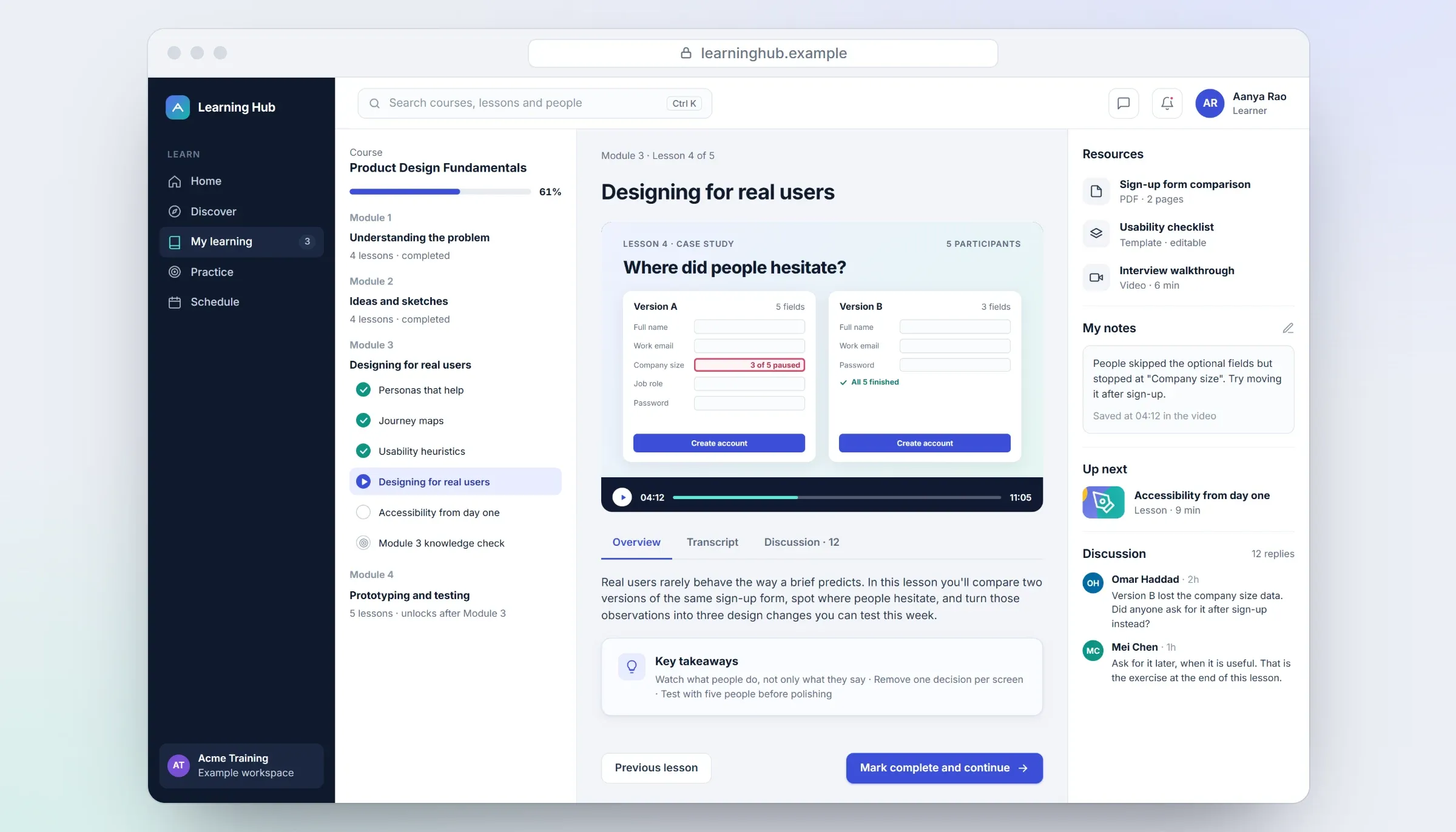
Lesson workspace. Close-ups on phones: tap any image for the full screen. Hands-on coding practice
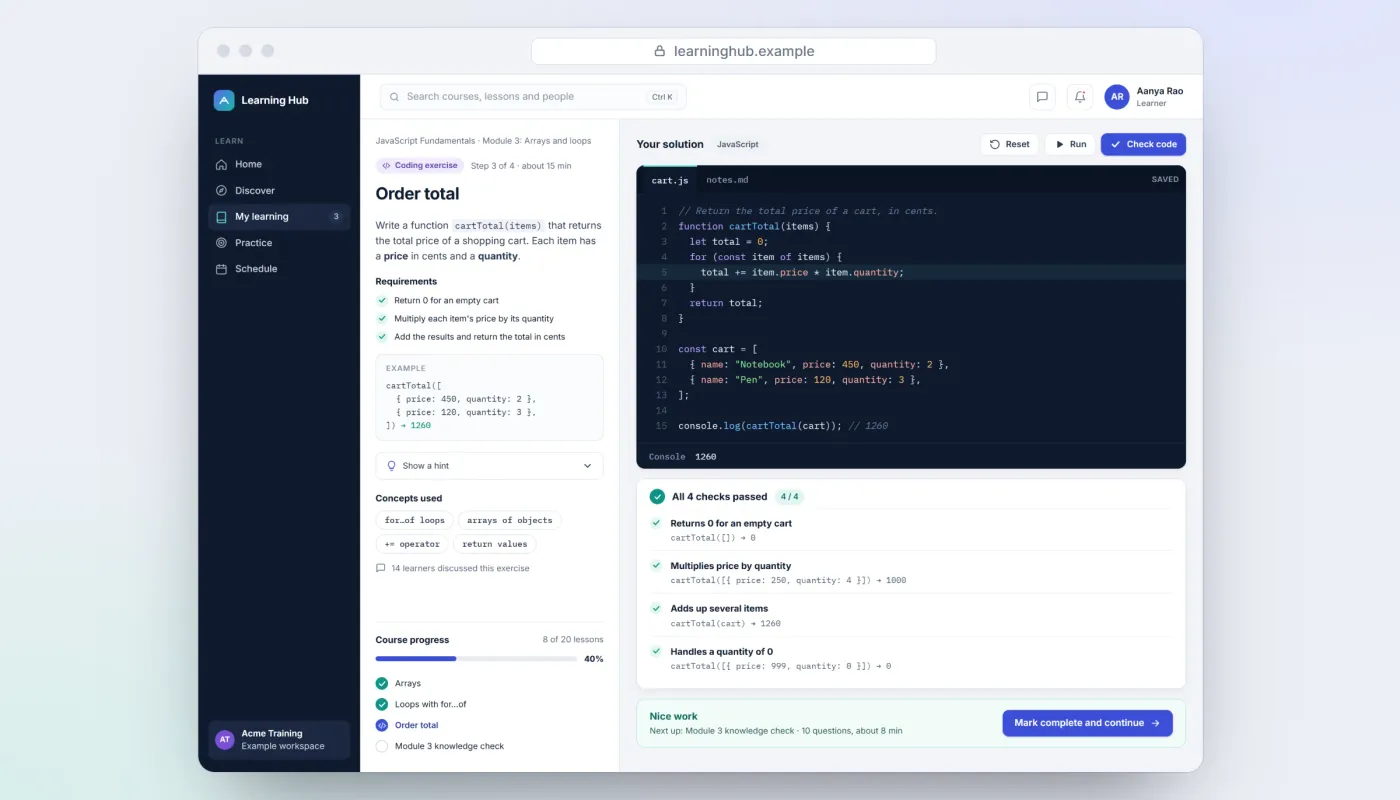
Technical courses need practice inside the product: the task and its requirements beside a code editor, checks that show what passes, and the next step in the course.
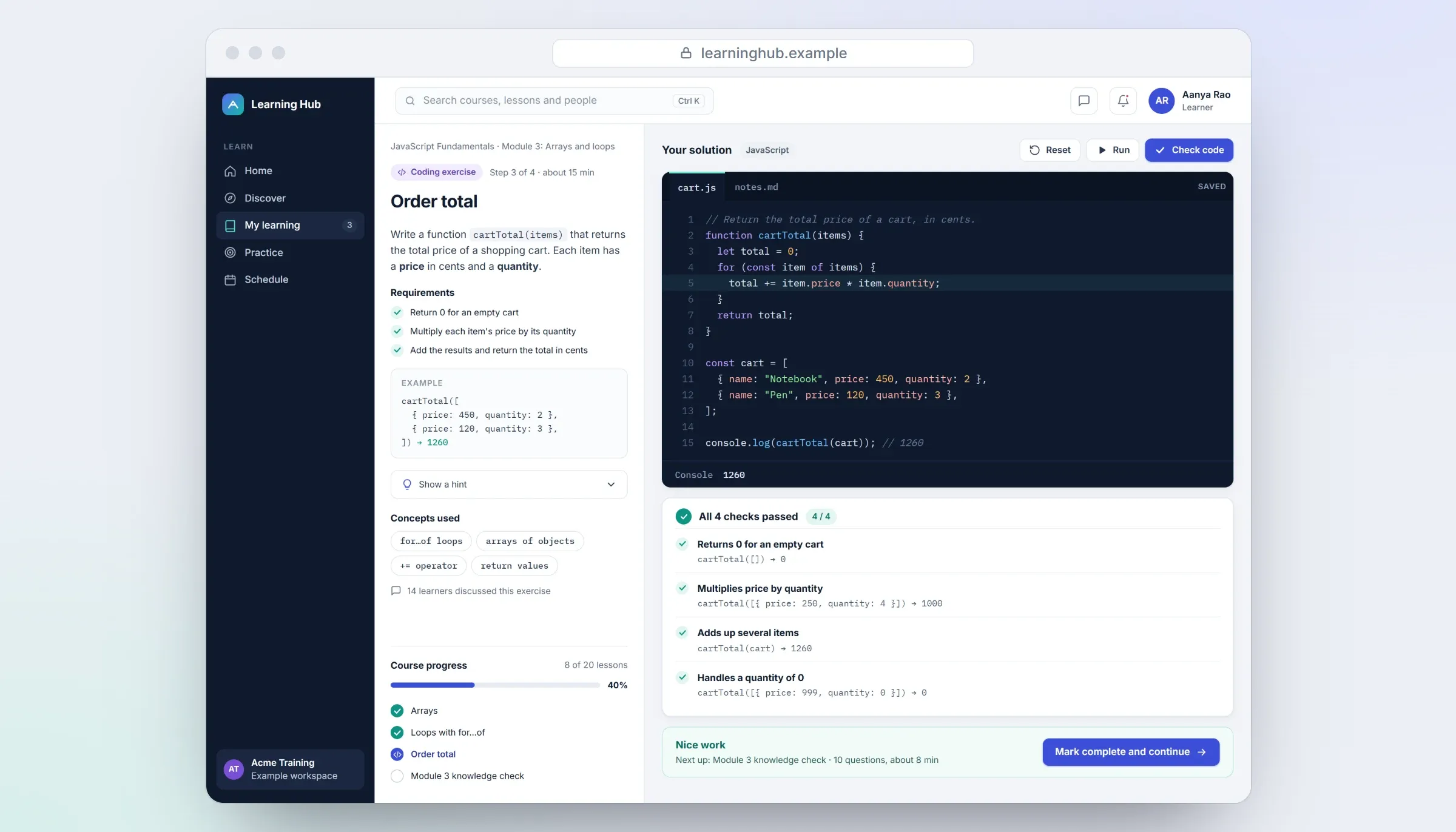
Coding exercise. Close-ups on phones: tap any image for the full screen. Course administration
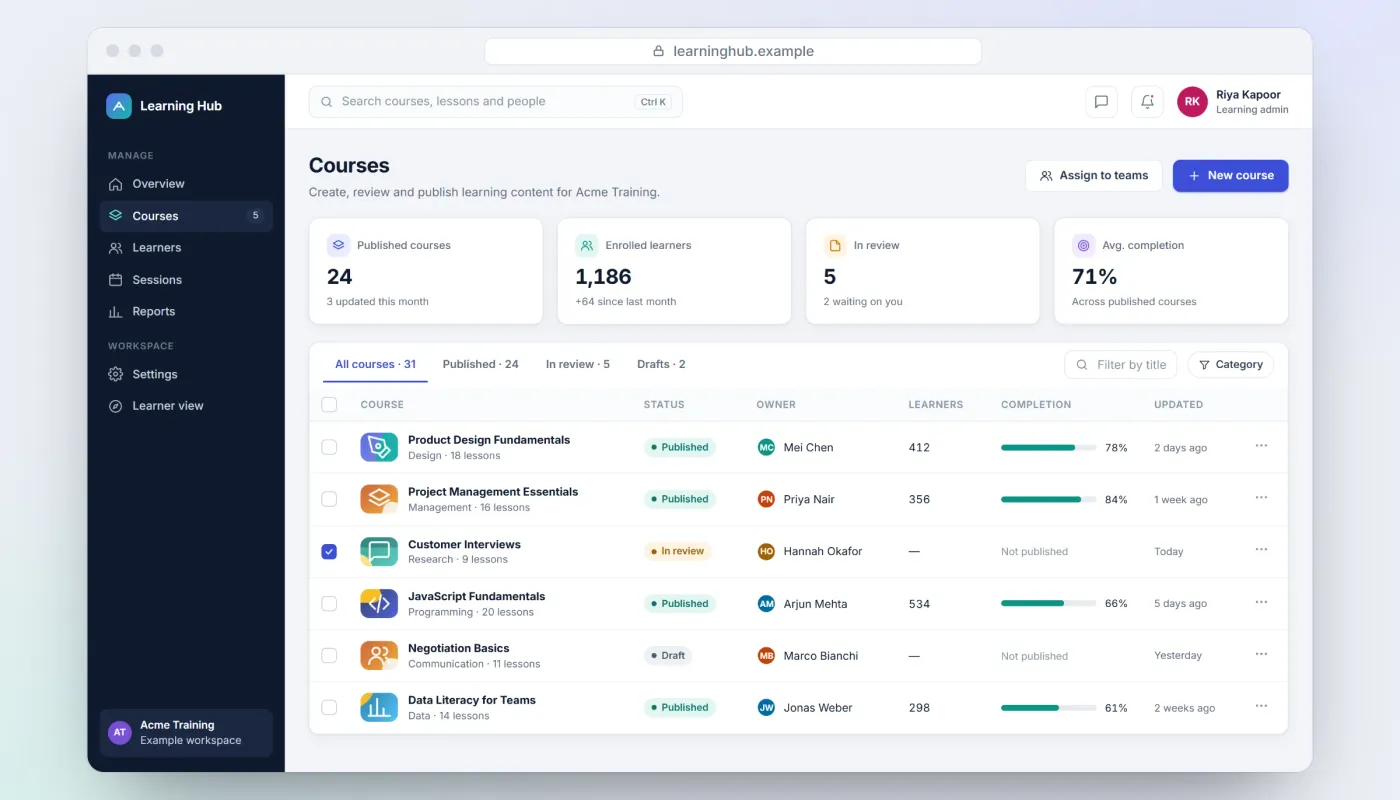
Running a learning platform means working through courses by status — published, in review, draft — with owners, learners and completion side by side.
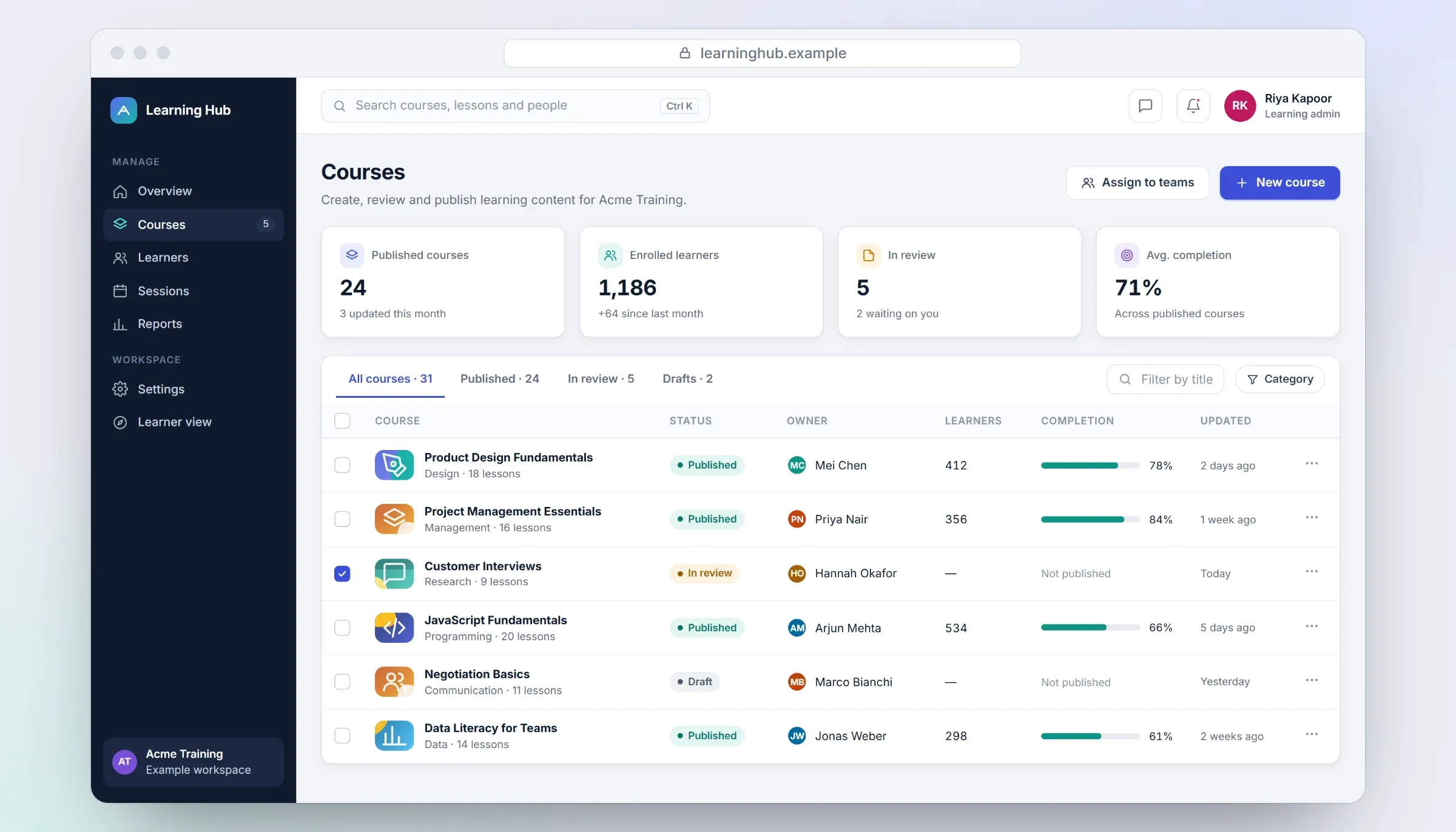
Course administration. Close-ups on phones: tap any image for the full screen. Learning analytics
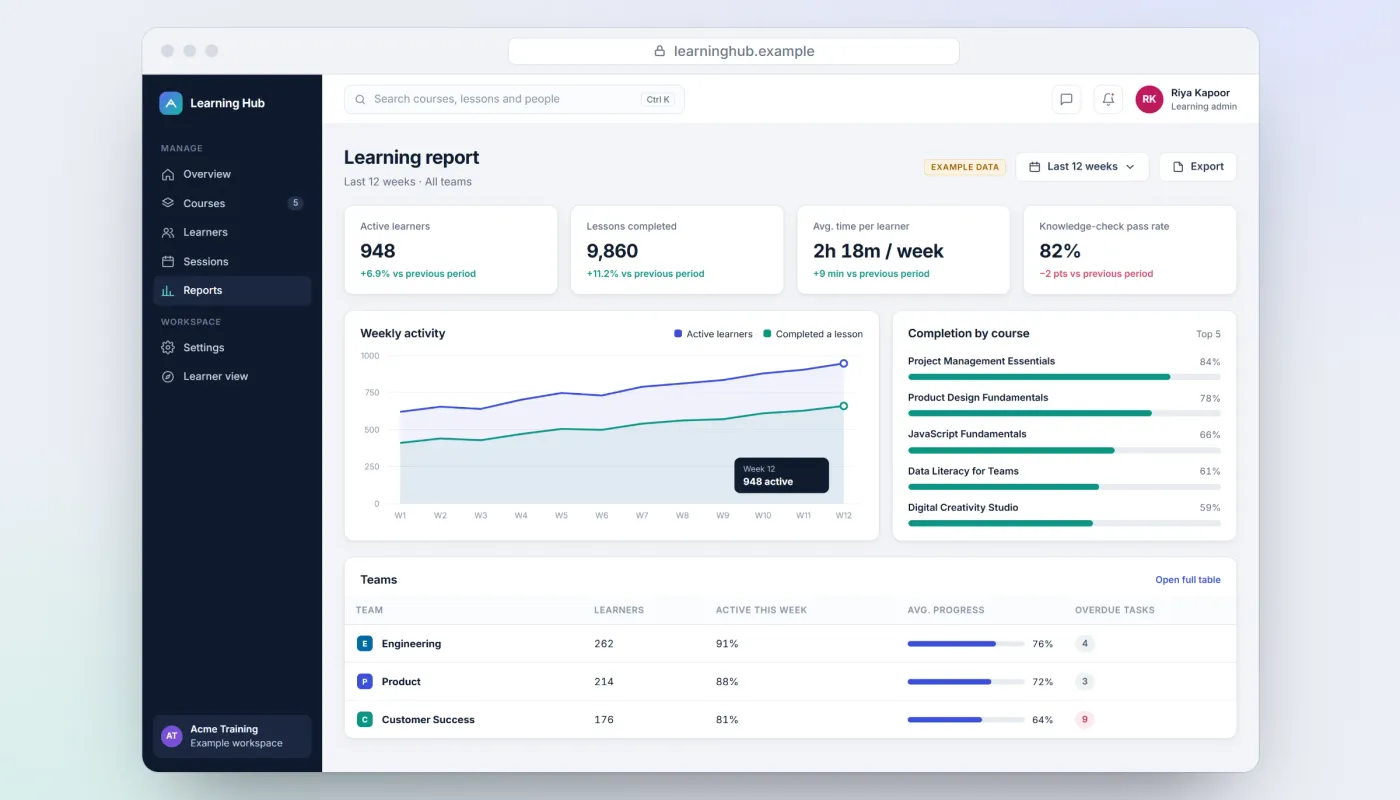
Reporting works best as a few clear trends: who is active, what gets completed, and which courses need attention.
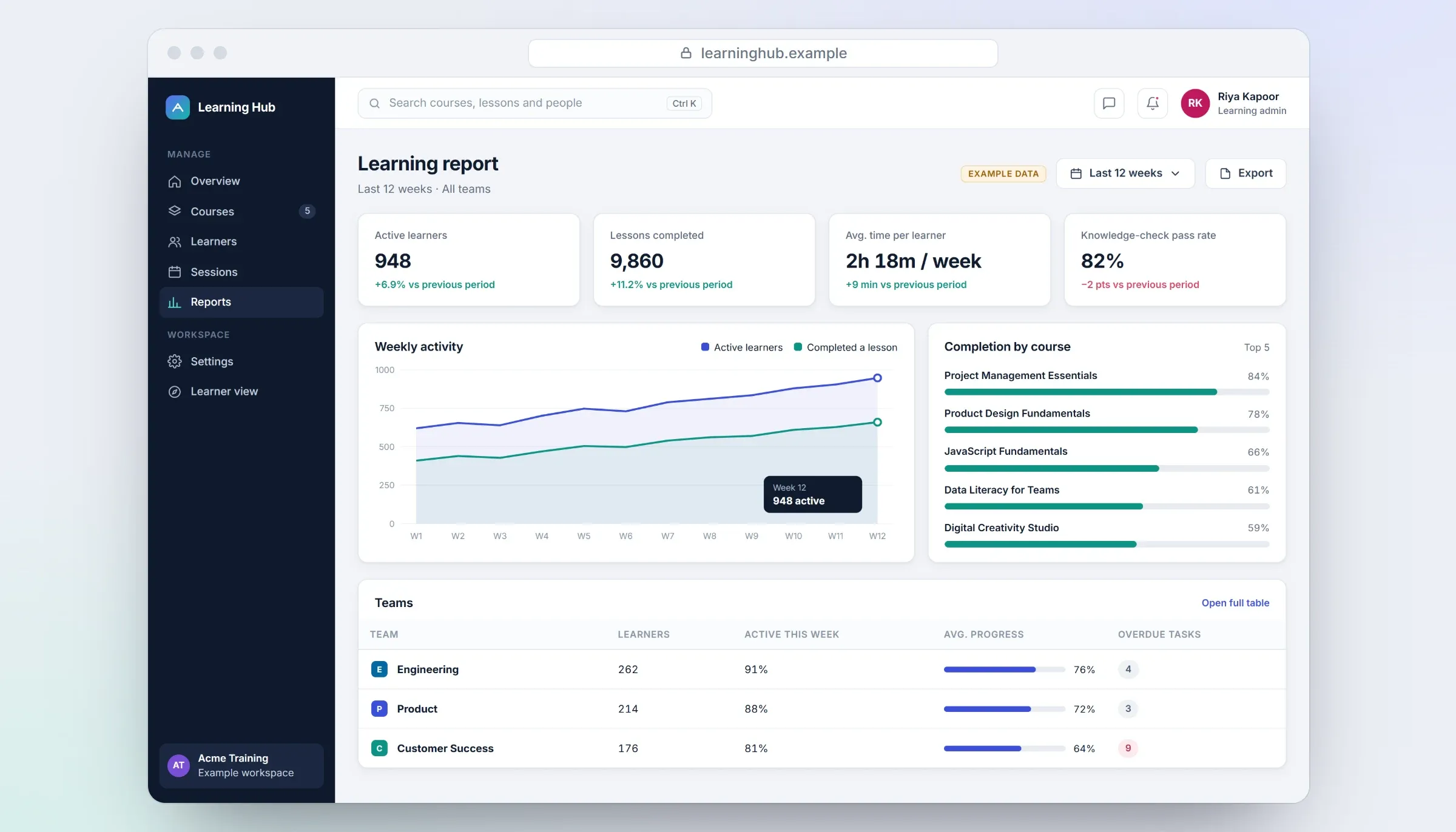
Learning analytics. Close-ups on phones: tap any image for the full screen.
About the images: the screens on this page are recreated for this case study with anonymised example data — invented courses, people and figures — so that the client's product, branding and users stay confidential.
Our contribution
What our team designed and built
UI/UX design
The platform's user experience and interface design, from the learner's path through courses to the screens for the team running the platform.
SaaS web development
Development of the platform as a SaaS web application: the software behind the learning experience, built to the agreed design.
Technologies Custom web/SaaS development
Related services