Case study · Client name withheld
Public Affairs News and Analysis App
News, stories, books and an archive about government and public administration
The client publishes news and analysis about politics and public administration. Our team developed the mobile app: readers follow two news streams, Political and Bureaucracy, browse books written by public servants, search the archive and save stories to read later.
- Client
- Public affairs publisher
- Platforms
- iOS
- Our scope
- Mobile app development
The product
What it does, and for whom
Readers who follow government want more than headlines: news, personal stories, analysis and different points of view on how public administration works. The app keeps political and administrative news apart, adds a shelf of books by serving and retired officials, and lets readers look back through earlier stories by name or by date.
Scope The news, analysis and books are the client's. Our work was the mobile app described here. To keep the client confidential, the screens on this page are recreated from the delivered app with neutral naming, invented stories, books and authors, and drawn illustrations in place of the client's brand and photographs.
Our contribution
What our team built
Mobile app development
The Political and Bureaucracy news streams with sharing, the Books section, the archive search by name or date, bookmarks and the side menu with settings, feedback, rating and contact.
User flow
Reading and searching
The three screens below, in the order a user meets them.
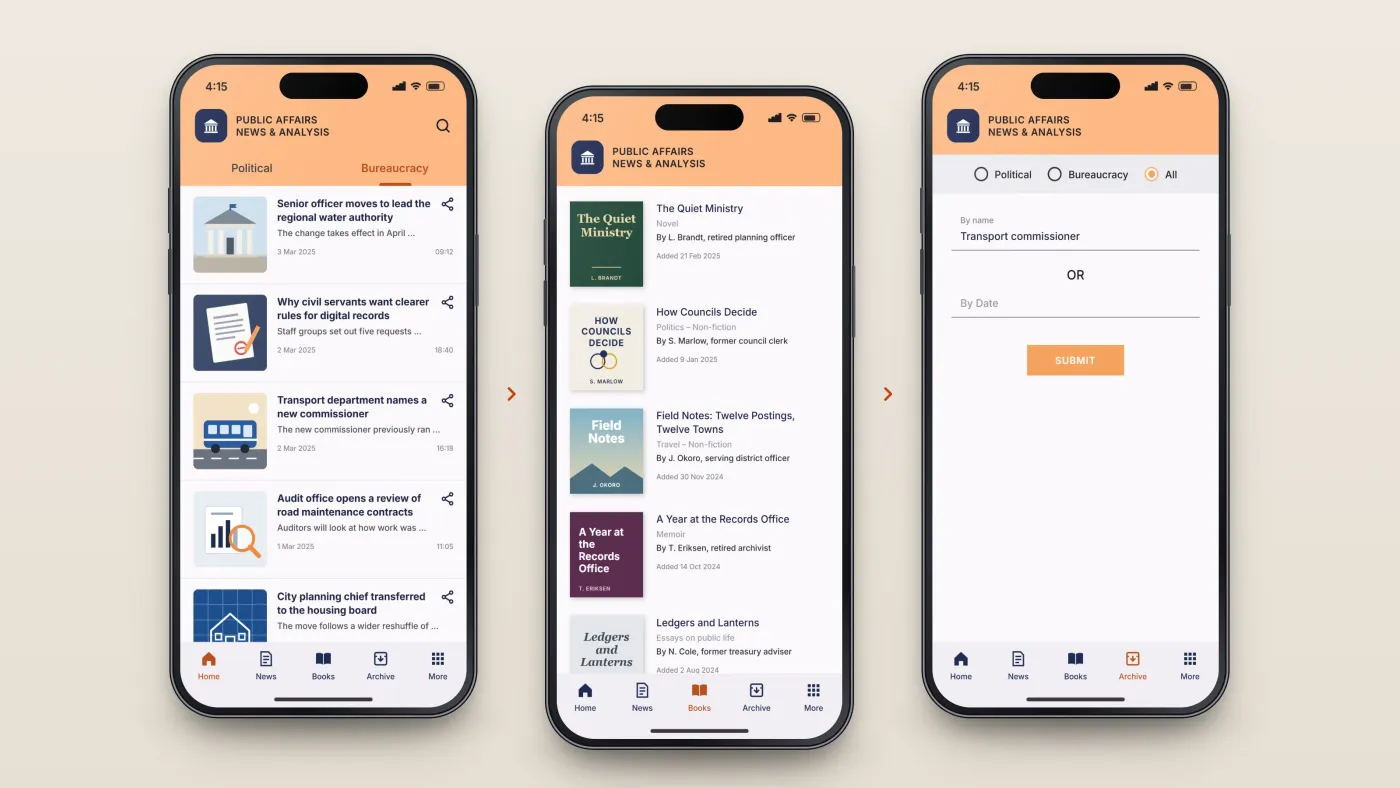
Read the news
Two news streams on the home screen.
Browse books
Books by public servants.
Search the archive
Earlier articles by name or date.
The product in use
Inside the app
Two news streams
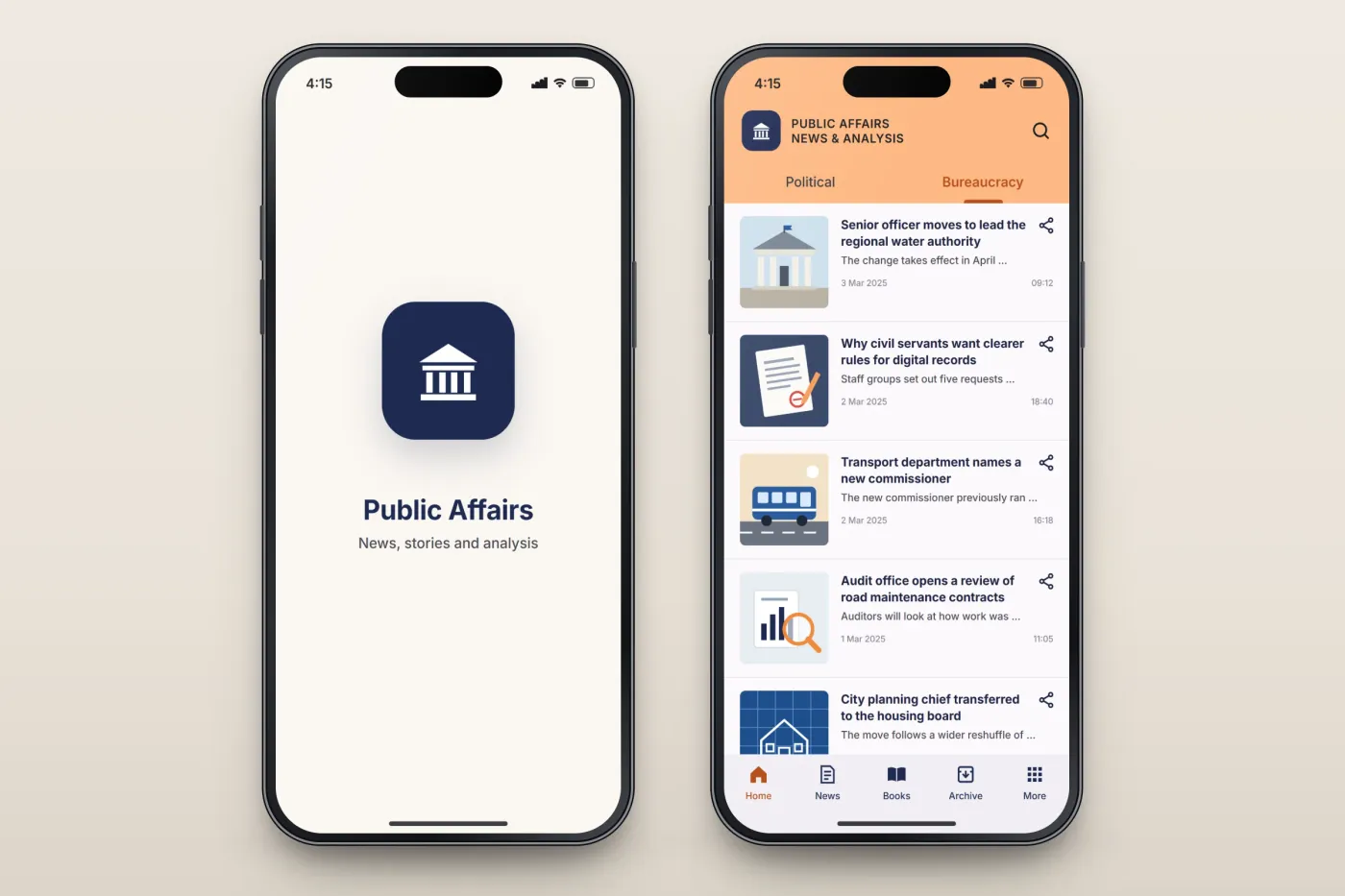
The home screen splits the news into Political and Bureaucracy. Each story shows a picture, its headline, a short excerpt, the date and time, and a share button.
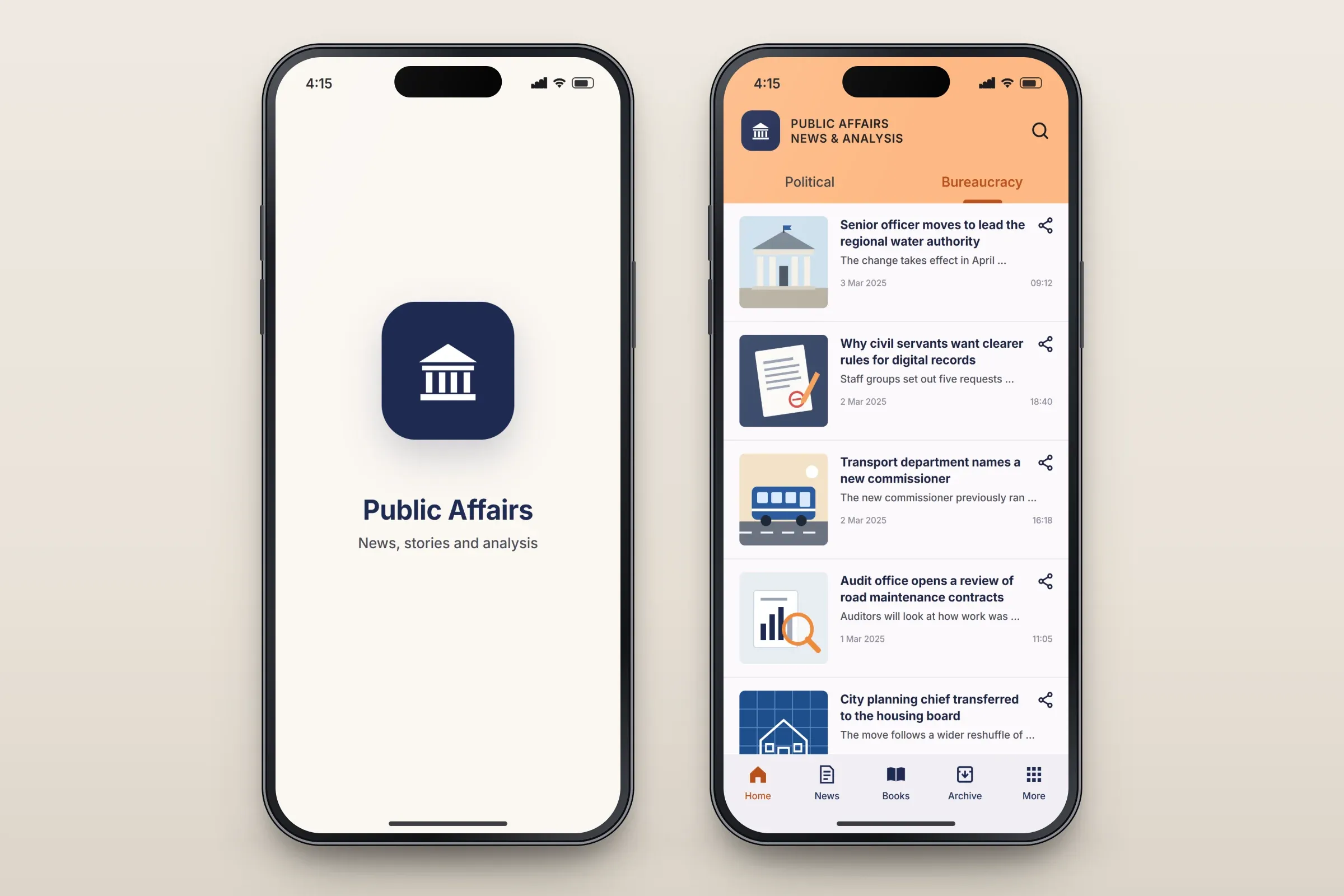
The opening screen, and the Bureaucracy news stream. Close-ups on phones: tap any image for the full screen. Books by public servants
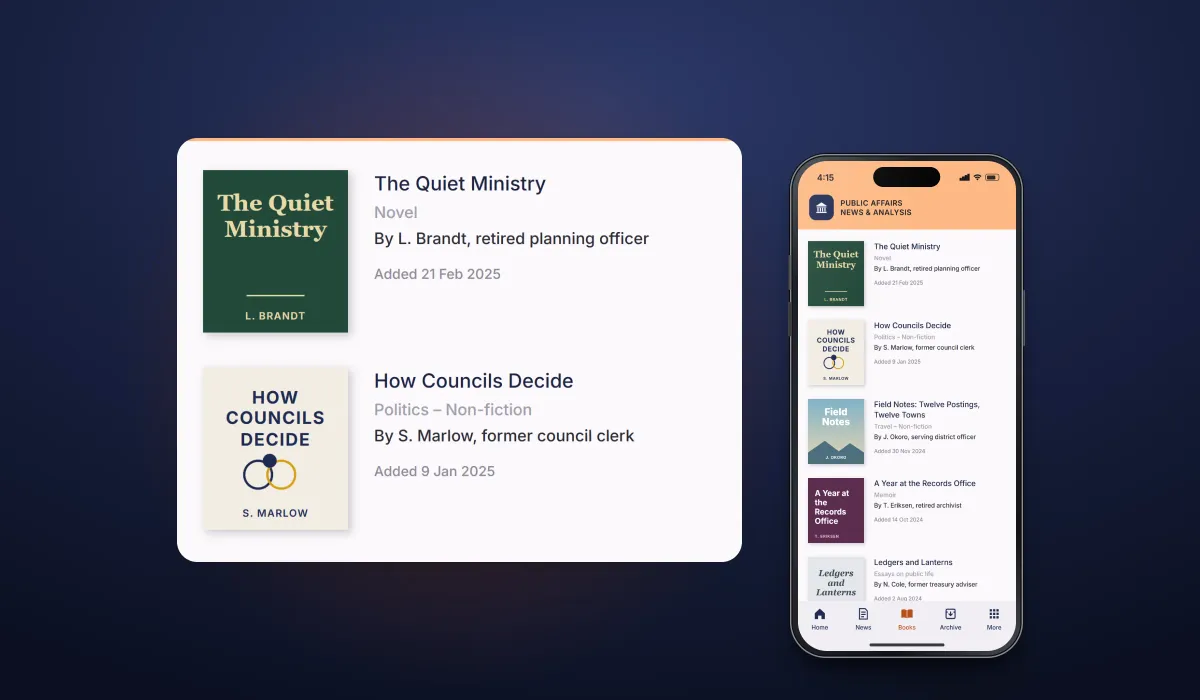
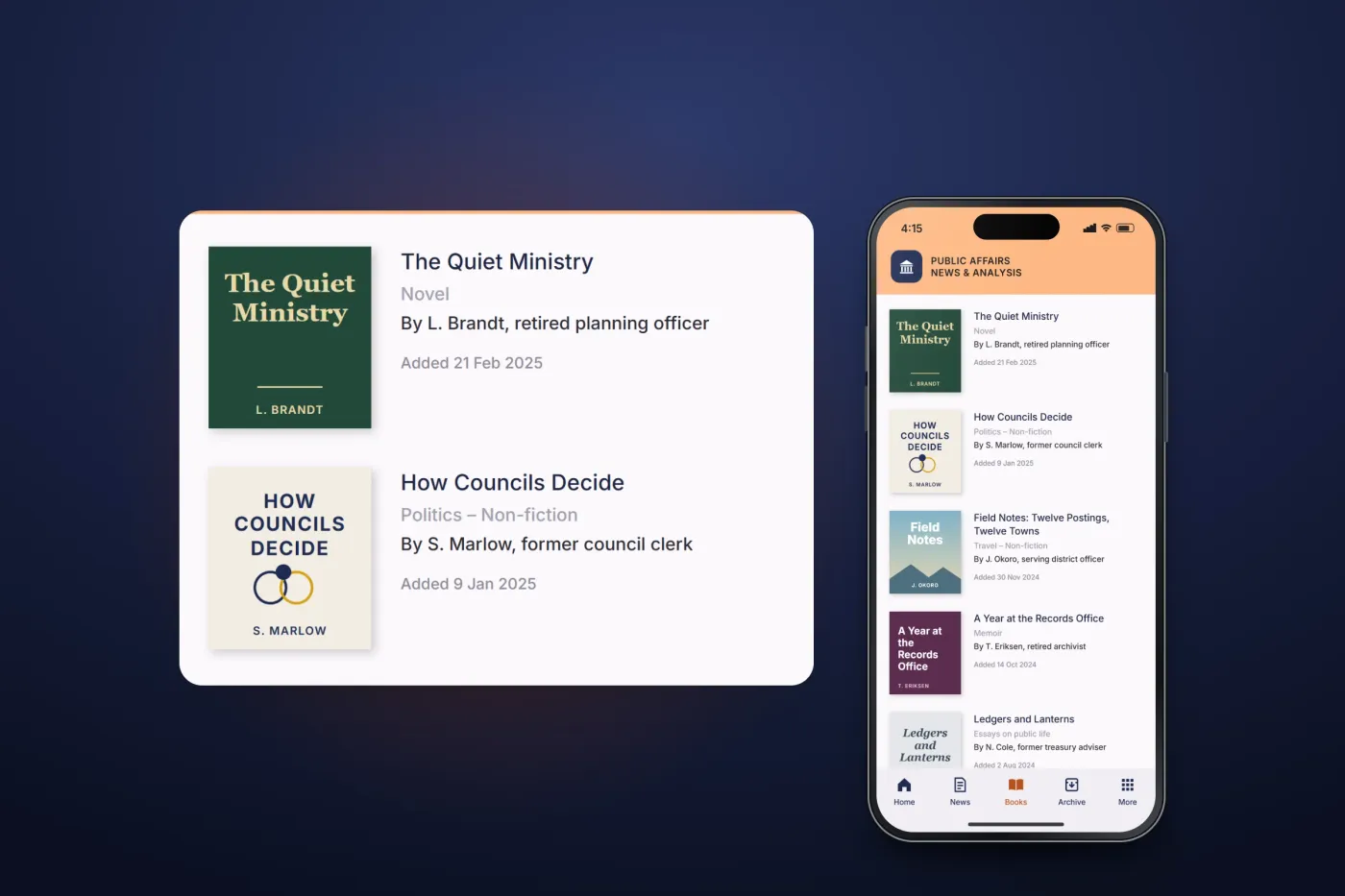
A Books section lists titles written by serving and retired officials, with the cover, genre, author and their role, and the date it was added.
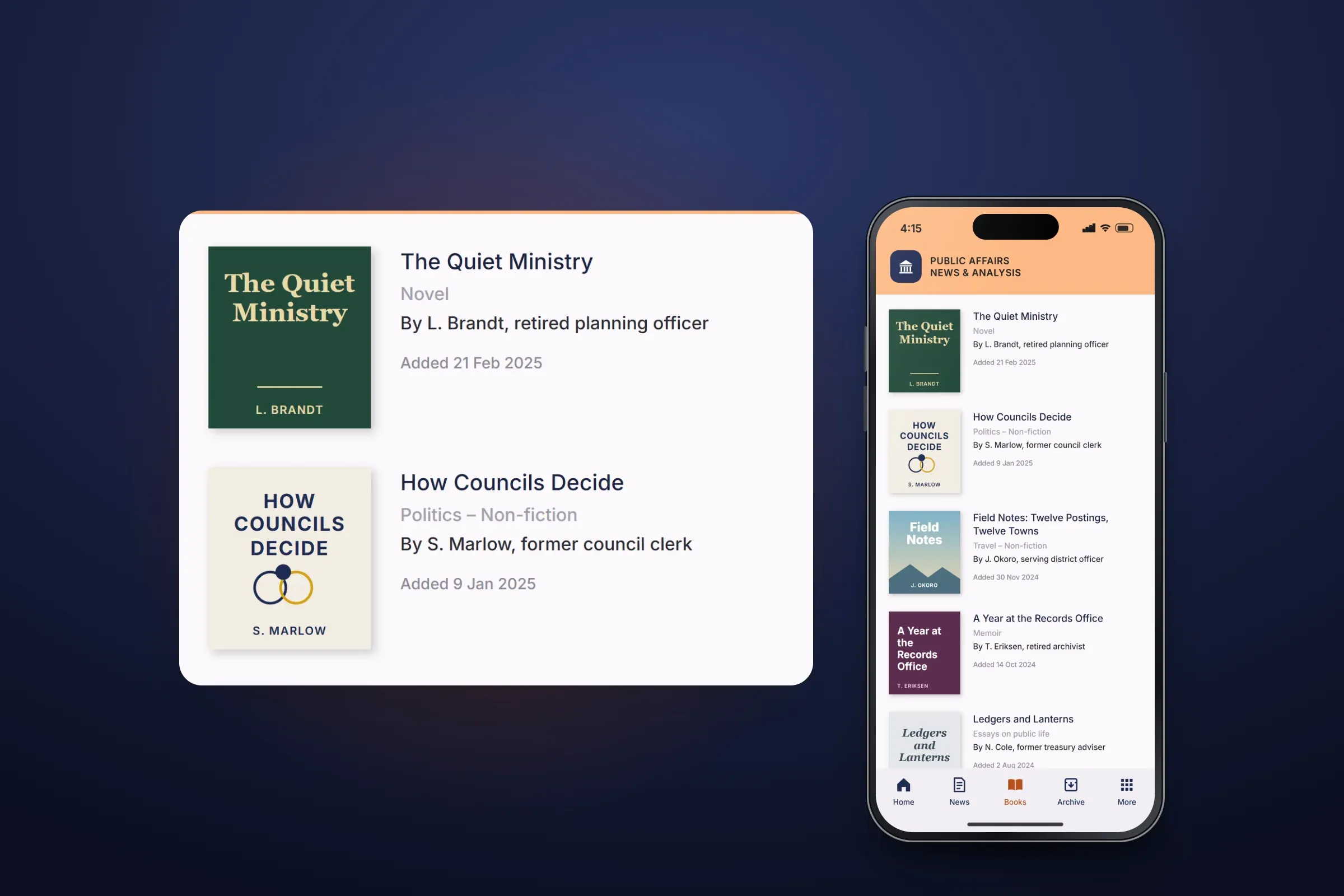
The Books section. Close-ups on phones: tap any image for the full screen. Archive search and menu
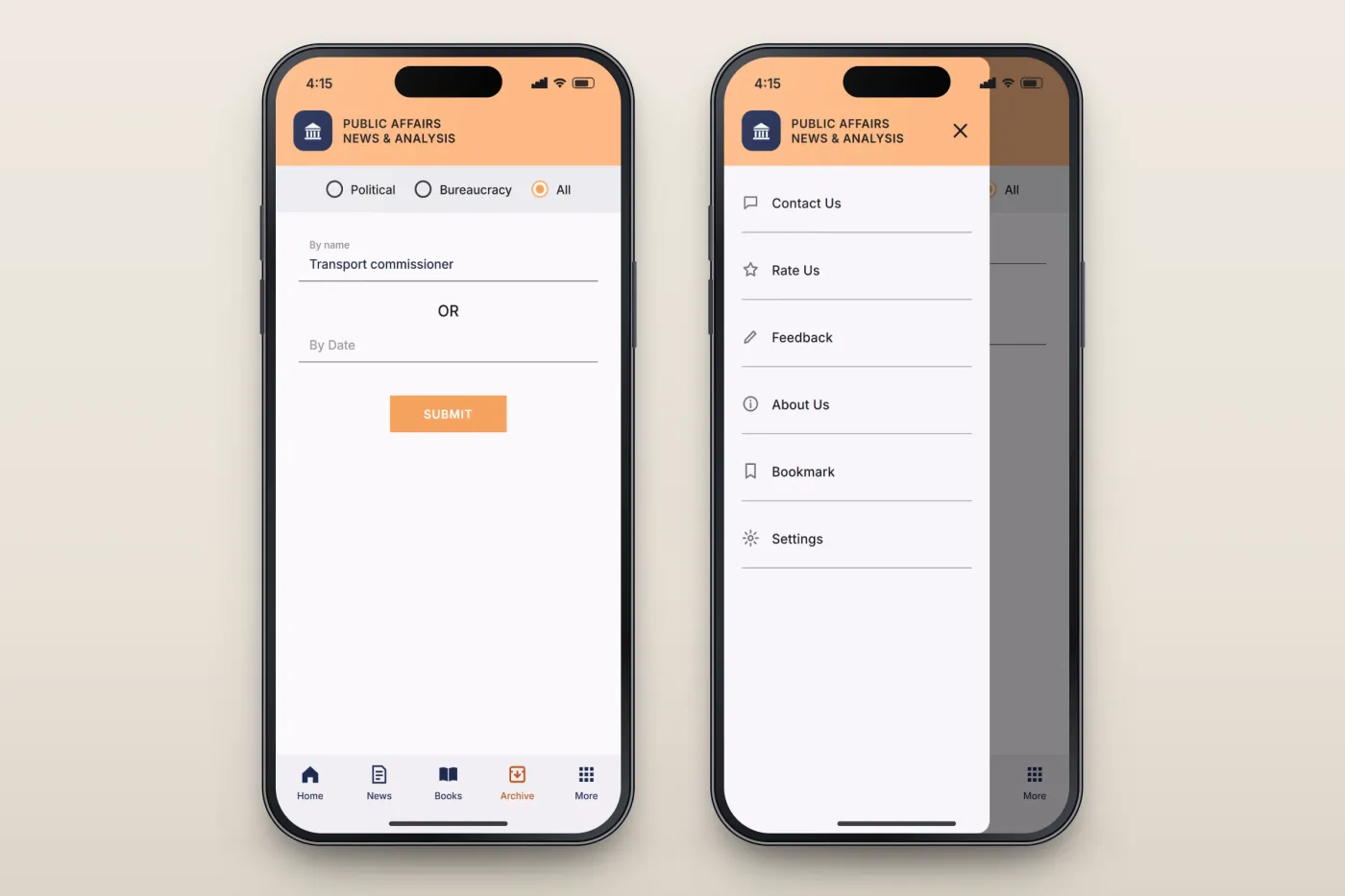
The archive finds earlier stories by name or by date, within political news, administrative news or both. A side menu holds bookmarks, settings, feedback, rating and contact.
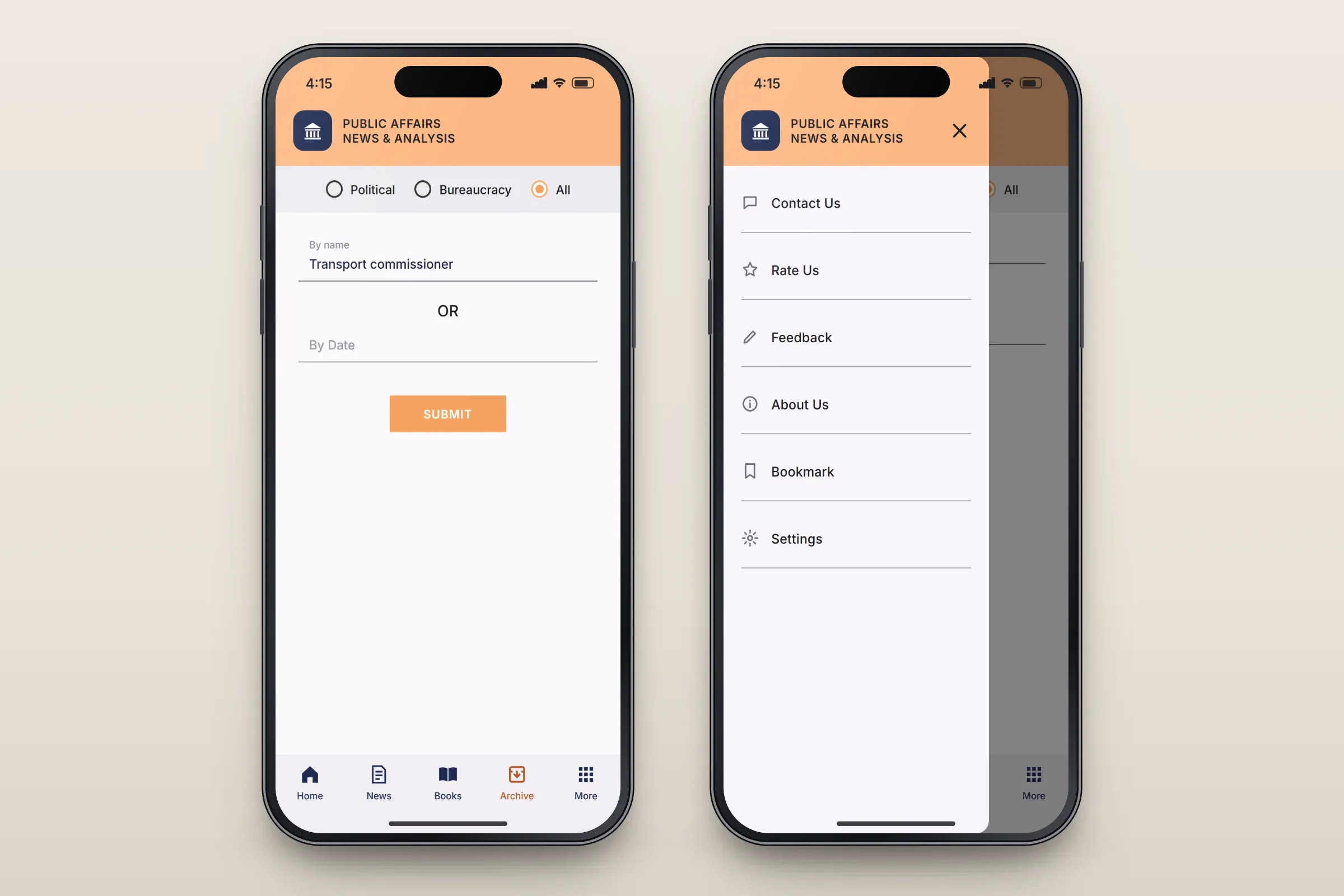
Searching the archive, and the side menu. Close-ups on phones: tap any image for the full screen.
About these images: the screens are recreated from the delivered app for this case study, with neutral naming, invented stories, books and authors, and drawn illustrations in place of the client's brand and photographs. They follow the app's real screens and functions, but they are not screenshots of it.
Related services