Case study · Client name withheld
Strength Training App
Personalised strength programmes, weekly workouts and progress in one app
The client offers strength training with its own coaches and training content. Our team developed the mobile app: a short questionnaire sets up a personalised programme, the home screen lays out the week's workouts and progress, and a Discover area holds training articles and a shop for lifting gear.
- Client
- Fitness company
- Platforms
- iOS
- Our scope
- Programme set-up · Training week · Discover
The product
What it does, and for whom
Generic workout plans rarely fit the person following them. The app asks how many days a week the user can train, how long the programme should run, which units they use, their estimated one-rep maxes and their experience, and builds the programme from those answers, organised into weeks and daily workouts with progress tracked along the way.
Scope The training method, coaching, articles and products are the client's. Our work was the mobile app. To keep the client confidential, the screens on this page are recreated from the delivered app with neutral naming and example data.
Our contribution
What our team built
Programme set-up
The seven-step questionnaire with a scroll picker for each answer, and updating the one-rep max or resetting the programme later.
Training week
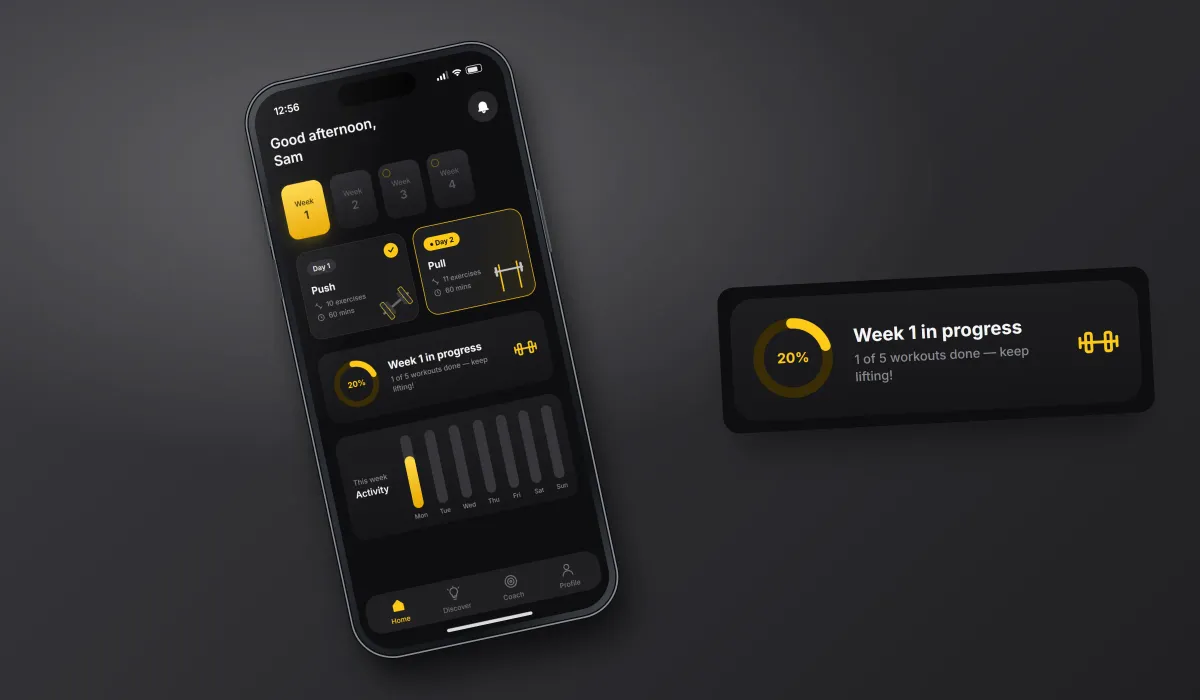
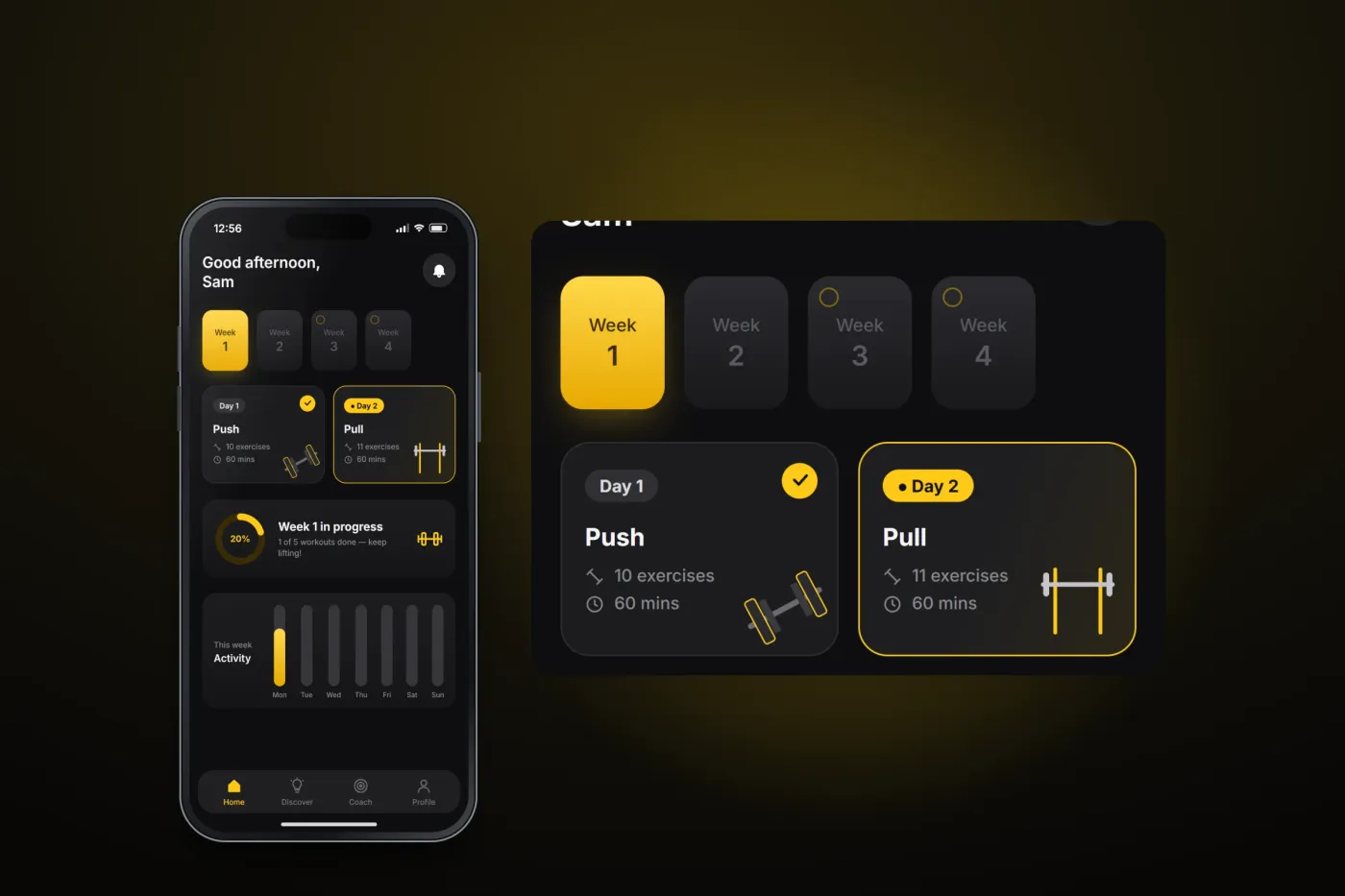
The weekly programme with each day's workouts, exercise count and duration, weekly progress and the activity chart.
Discover
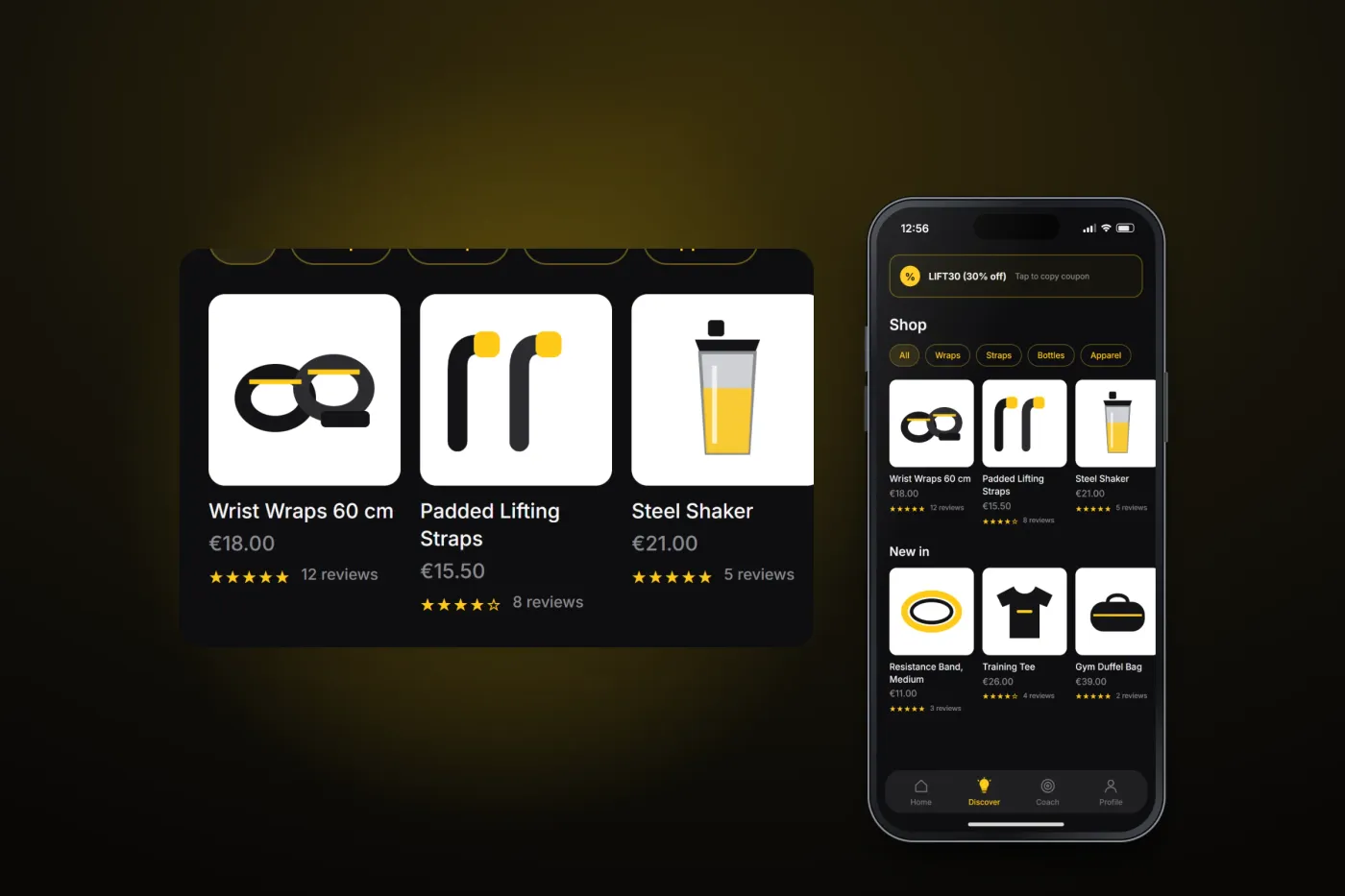
Training articles filtered by topic, the shop for lifting gear and apparel, and the coach profiles.
User flow
From questionnaire to training week
A personalised programme is set up in a few answers, then lives on the home screen.
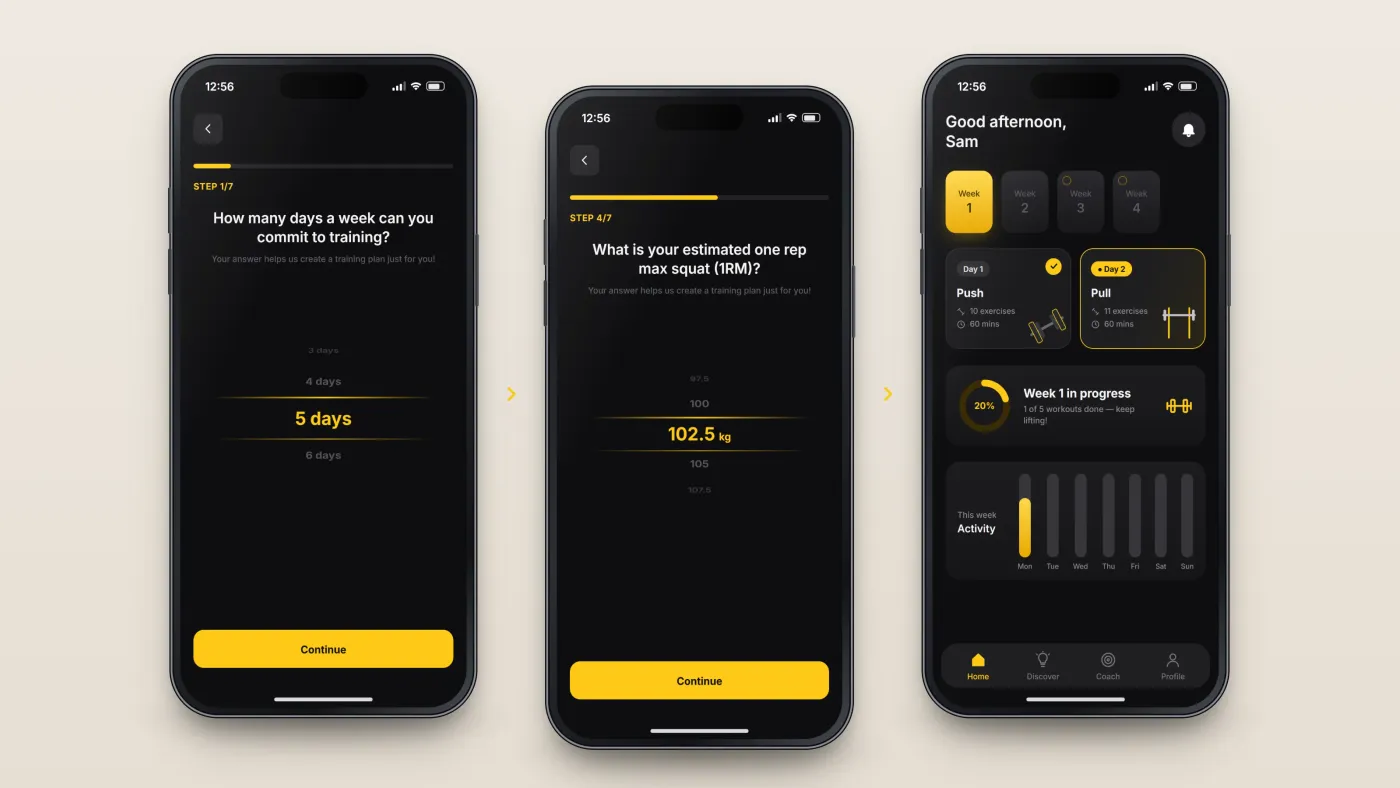
Answer the set-up questions
One question per screen, from training days per week…
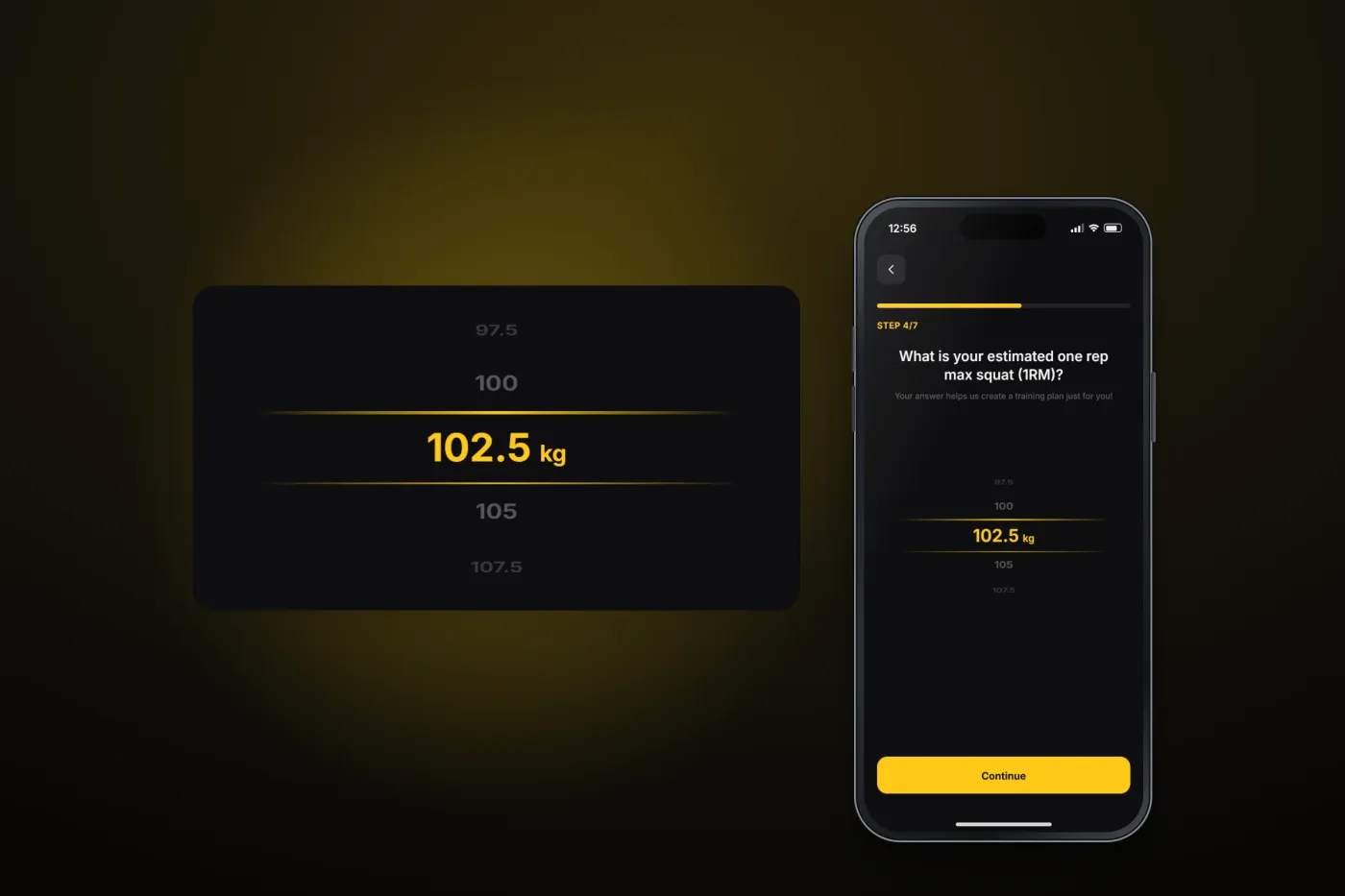
Enter your strength
…to the estimated one-rep max for the squat and bench press.
Train the week
The home screen lays out the week's workouts, progress and a day-by-day activity chart.
The product in use
Inside the app
A programme built from your answers
Set-up is a seven-step questionnaire, one question per screen, with a scroll picker for each answer — from training days per week to the estimated one-rep max for the squat and bench press.
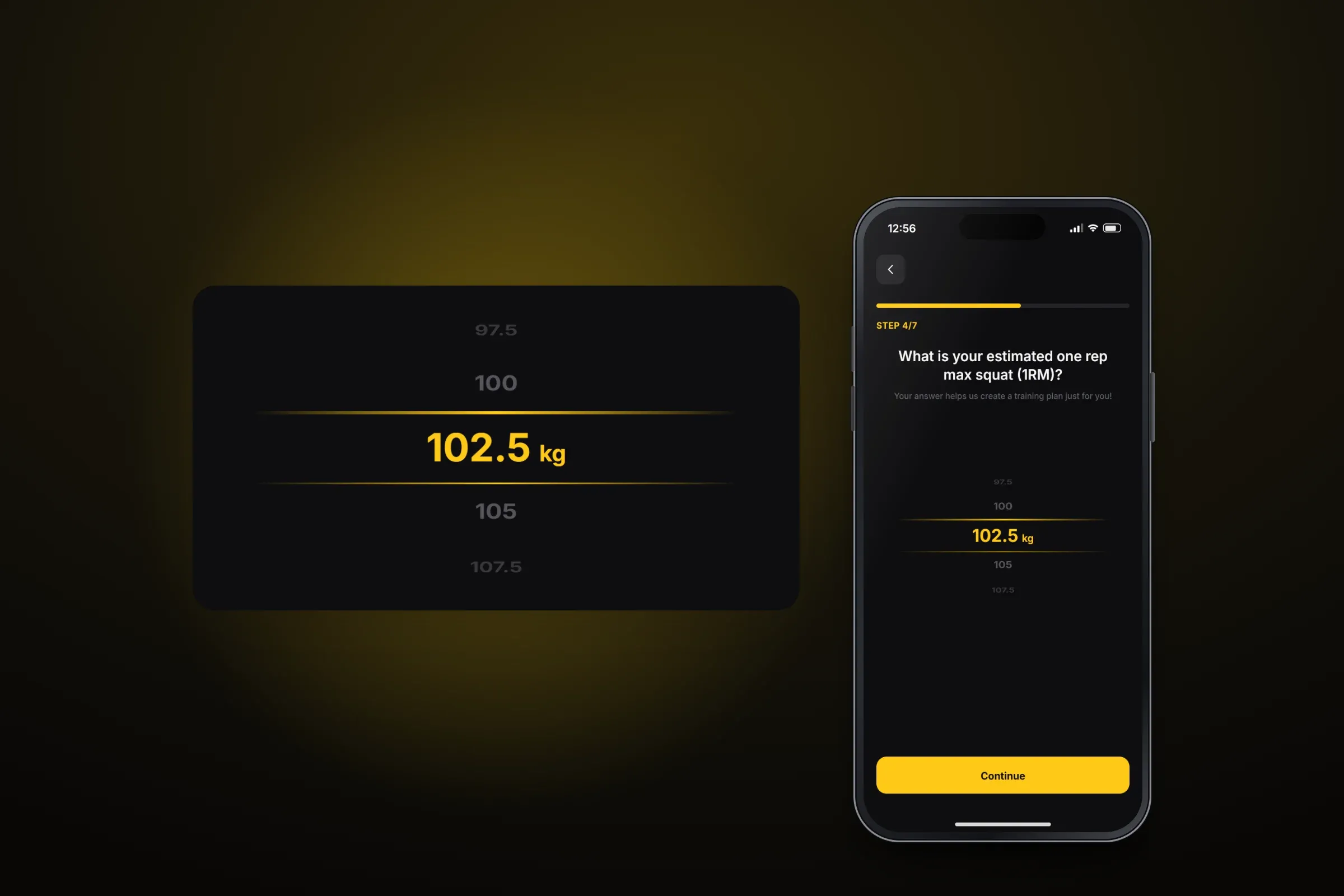
One of the set-up questions: the estimated one-rep max. Close-ups on phones: tap any image for the full screen. The week at a glance
The home screen shows the programme week by week, the day's workouts with their exercise count and duration, progress for the week and a day-by-day activity chart. From the profile the user can manage their plan, update their one-rep max or reset the programme.
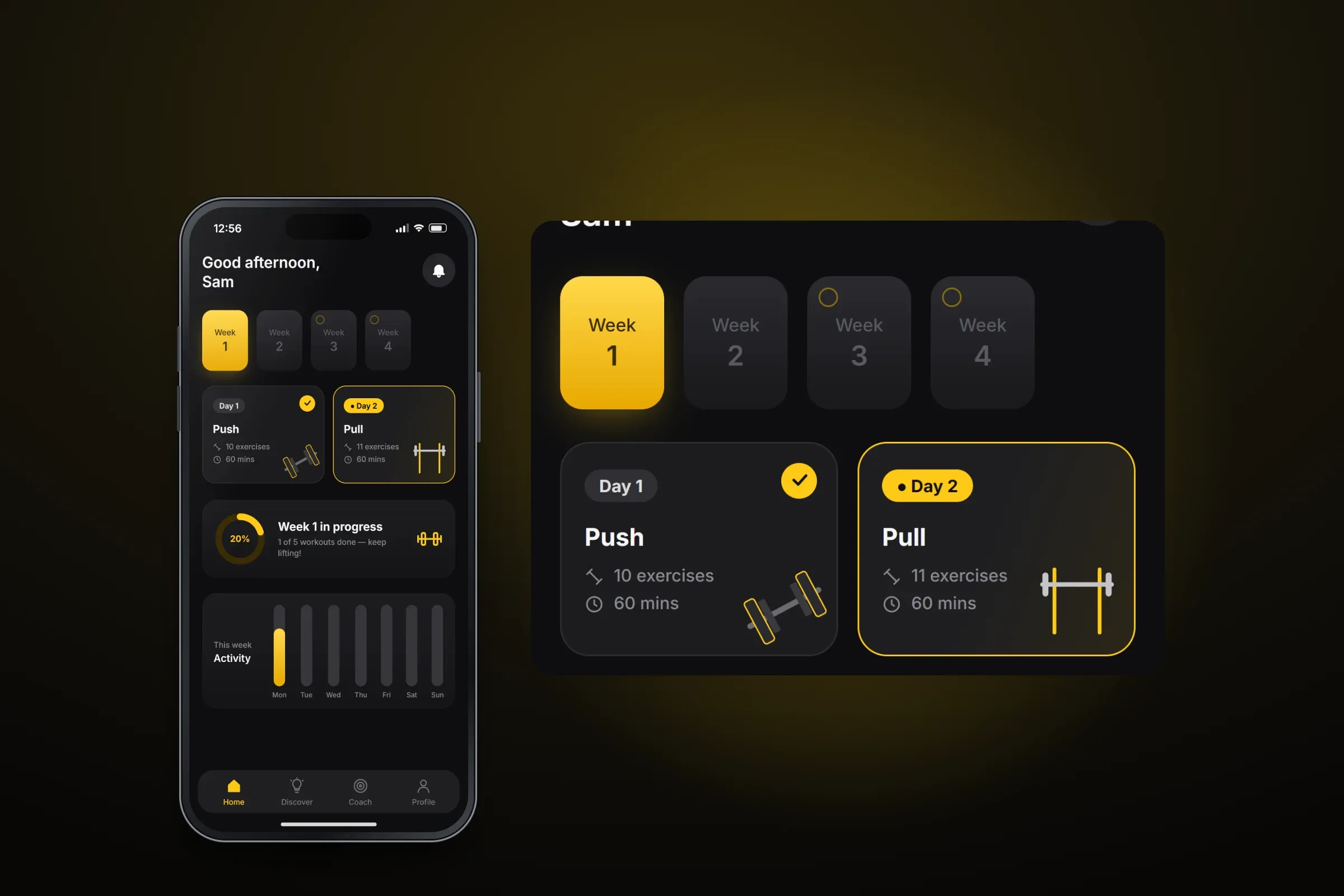
The weekly plan on the home screen. Close-ups on phones: tap any image for the full screen. Articles and gear
Discover brings together the Learning Hub — training articles filtered by topic — and a shop for lifting gear and apparel with a coupon at the top. A Coach tab introduces the coaching team.
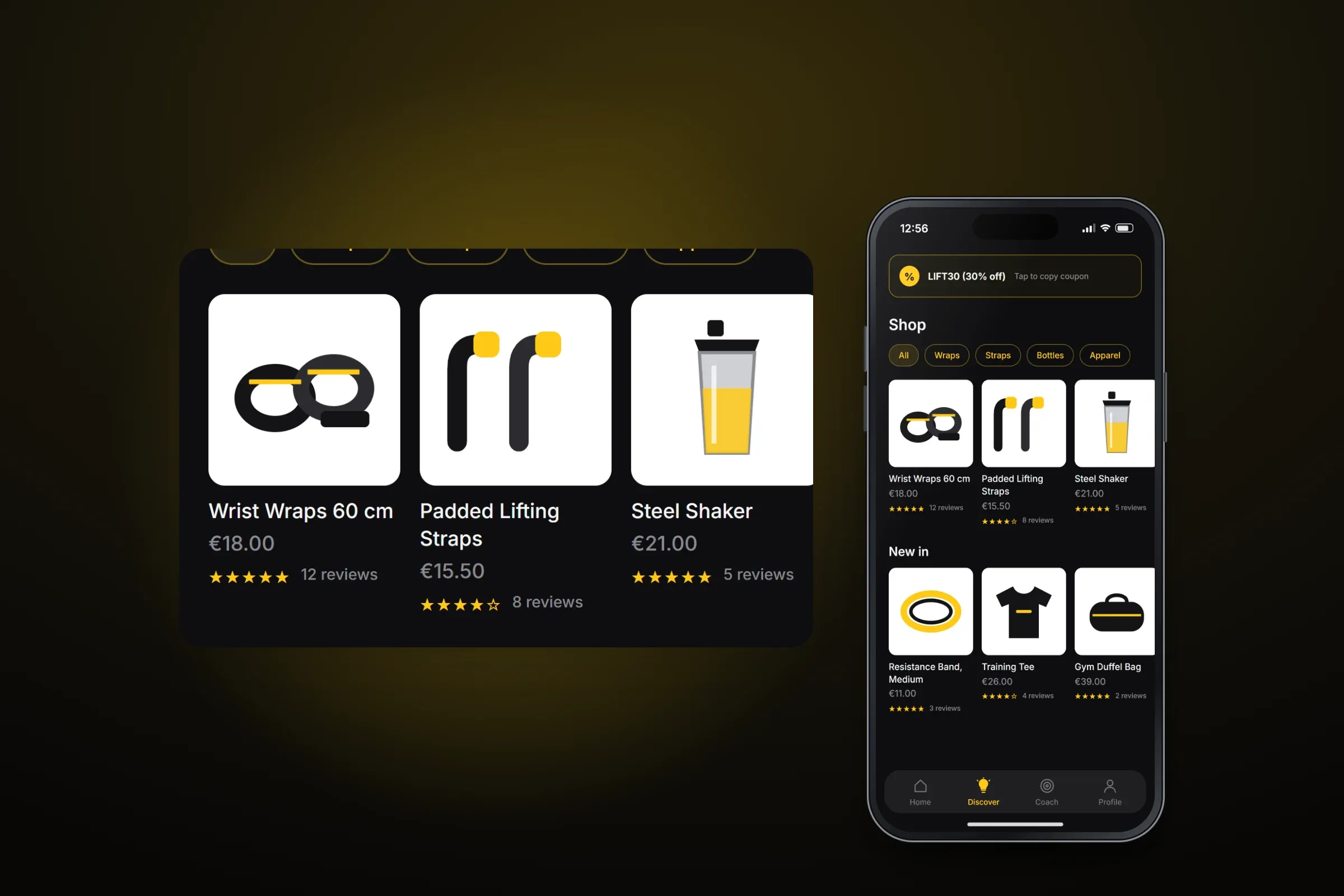
The shop in Discover. Close-ups on phones: tap any image for the full screen.
About these images: the screens are recreated from the delivered app for this case study, with neutral naming and example data in place of the client's brand, coaches, articles and products. They follow the app's real screens and functions, but they are not screenshots of it.
Related services